Bedrock
Rainbow Outline Selection By Vortexlab Tired of Minecraft’s plain vanilla block outline? Rainbow Outline Selection replaces the default selection box with a viv
Publisher
Vortexlab
Downloads
4
Top category
MOD
Updated
2026-07-31
Rainbow Outline Selection
By Vortexlab
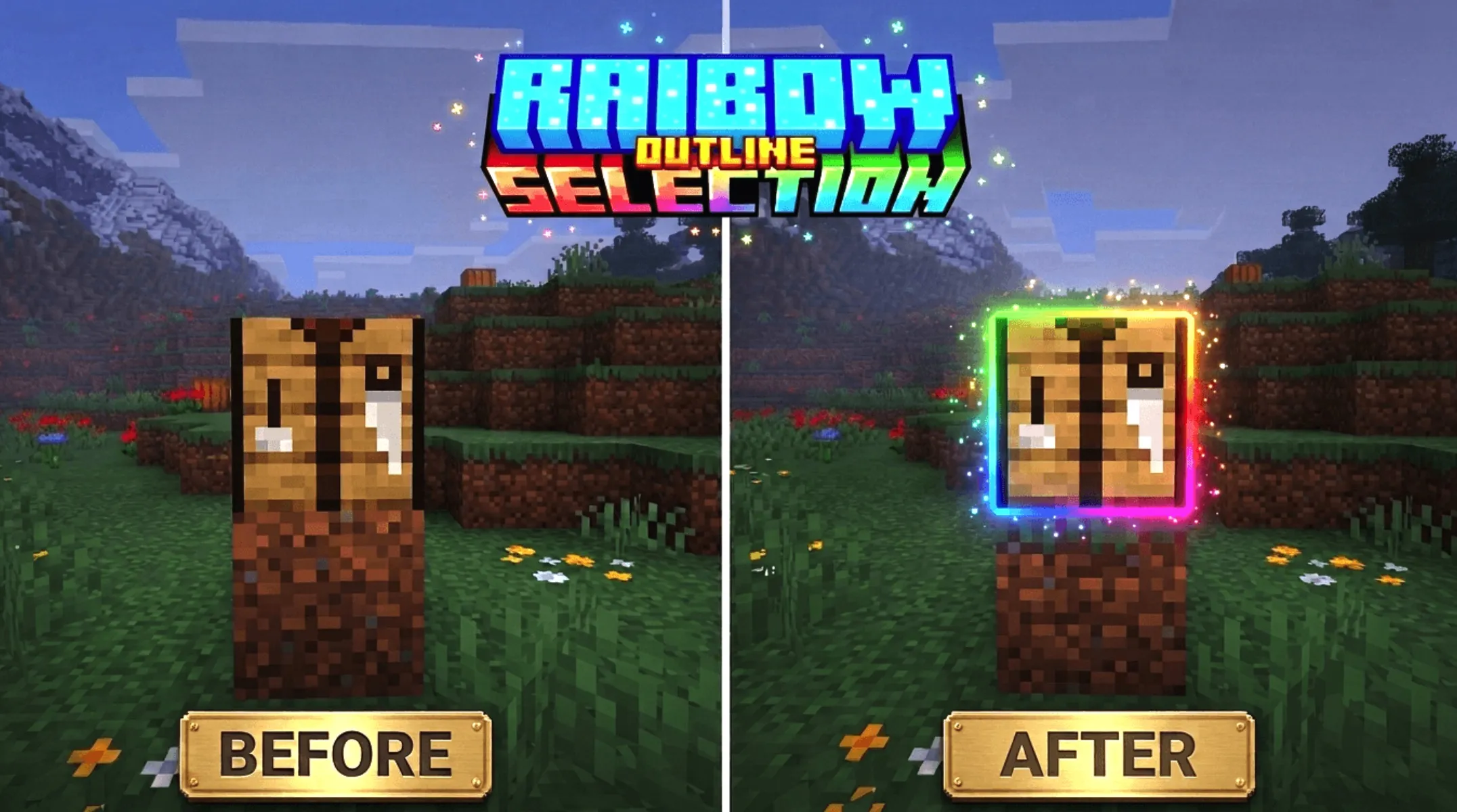
Tired of Minecraft’s plain vanilla block outline? Rainbow Outline Selection replaces the default selection box with a vivid animated rainbow effect, bringing a more colorful and immersive visual experience to Minecraft Bedrock.
Description
Rainbow Outline Selection
Turn the ordinary vanilla block outline into a living rainbow. Rainbow Outline Selection replaces Minecraft’s default selection box with a 12-edge particle outline. Whenever you look at a block, colored particles trace each edge of the target, while the outline cycles through the full spectrum and changes color every two ticks.
The color sequence includes red, orange, yellow, lime, green, teal, cyan, sky, blue, violet, magenta, and pink. The entire effect is built with the Script API. It uses no lag-heavy entities and relies on no geometry hacks. Instead, clean colored dots follow every edge of the block you are pointing at, supporting targets up to 7 blocks away.
The resource works in both Survival and Creative mode, and it can be used alongside any shader or resource pack.
Who Is It For?
For MCPE players who want a more polished Bedrock experience, Rainbow Outline Selection requires no mods and no PC. Once installed, the standard selection outline on your phone or tablet immediately comes alive with a constantly shifting rainbow cycle whenever you look at a block.
Why Particles?
Bedrock Edition uses the RenderDragon rendering engine, which prevents direct access to the block-selection rendering pipeline. Unlike Java Edition, Bedrock does not provide a native hook for recoloring or replacing the default selection box. As a result, particles are the deepest level of customization currently available through the Script API.
That makes particles the most practical and polished solution for creating a rainbow outline on Bedrock. The resource does not spawn entities or alter block models. It simply uses neatly arranged colored dots to follow every edge of the selected block, producing the cleanest rainbow outline that can realistically be achieved with the available API.
Video Settings Note: Turning Off the Vanilla Outline
For the cleanest appearance, disable the default block selection highlight so that only the rainbow particles remain visible.
Go to:
Settings → Video → Selection Highlight
Then switch the option Off. Once disabled, the vanilla selection box disappears and the rainbow particle outline takes over completely.
Requirements