Addon Name: Pickup & Carry!
Overview
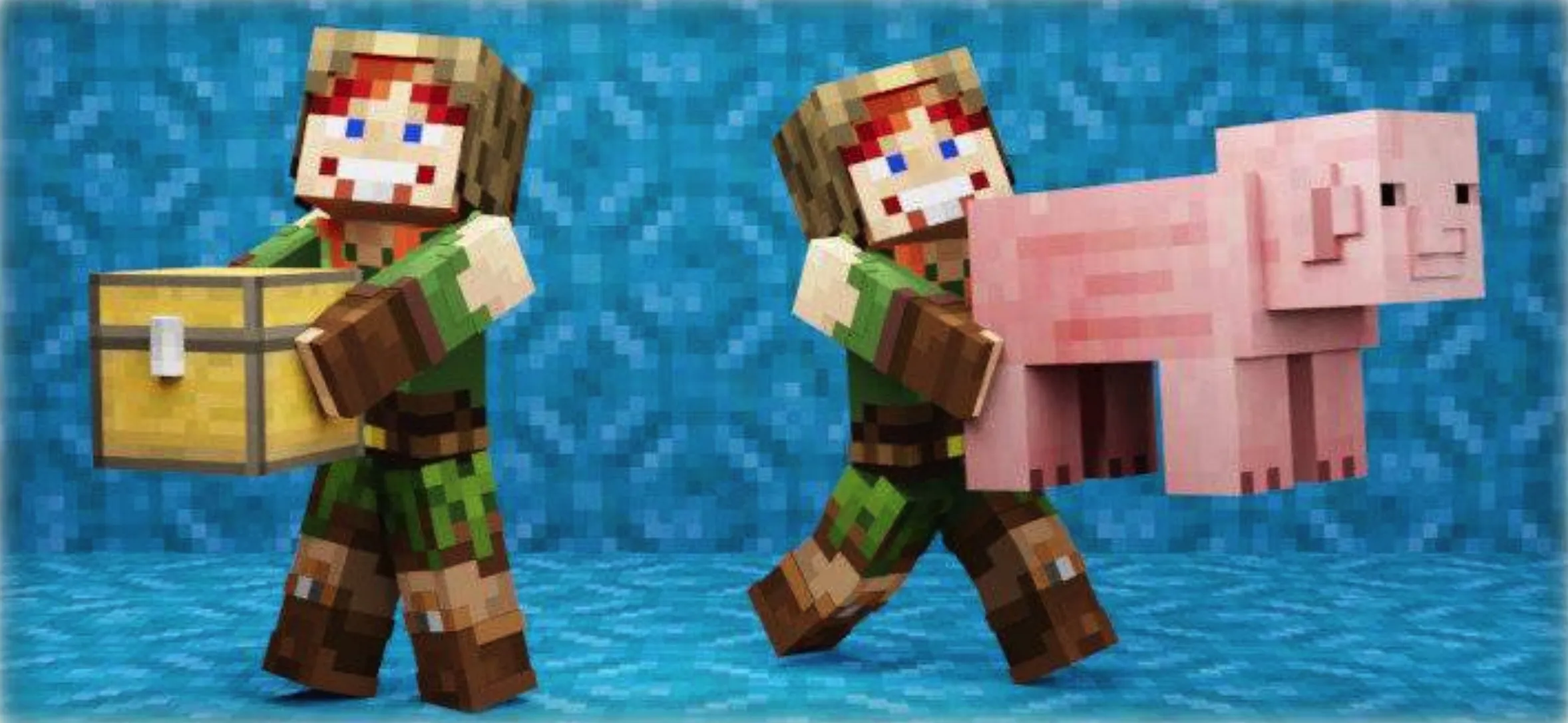
The "Pickup & Carry!" addon allows you to pick up players, mobs, or storage blocks and transport them to the right place. This addon is compatible with all mobs, players, and storage-capable blocks, including those from other addons.
Key Features
- First-Person Body Rendering: Even in 1st person, you can see your own body and arms while carrying.
- Character Creator Support: Compatible with characters created via the Character Creator, including animated items and capes.
- Throwing Mechanic: Launch the creature, player, or block you're carrying far ahead.
- Storage Block Carrying: Any block capable of storing items (e.g., chests) is carryable. You can open and transfer items while carrying, and other players can access or steal items from these blocks while you handle them.
- Breaking and Damage: Other players can break the block you are currently carrying; the block features 10 stages of damage with distinct cracking textures. Dropping it from height scatters all items.
- Collision Checking Algorithm: Prevents mobs from being glitched or pushed into blocks.
- Health Transparency: Carried players can see the carrier’s health.
- Fall and Drop Mechanics: Dropped if you fall more than 3 blocks, enter water (for mobs/players), or start swimming (for blocks).
- Free Hands Requirement: You can only carry if your main hand and offhand are completely empty.
- Multiplayer Ready: Works flawlessly on Realms, BDS, and major servers with high player counts.
- Customizable: Configure settings individually, such as toggling pickup abilities for different entities, adjusting speed, modifying launch force, and toggling the addon without reloading the world.
- Vanilla Compatibility: No impact on existing animations (e.g., using spyglasses or crossbows). No commands or special items required to start.
Installation Guide
Download both the Behavior Pack (BP) and Resource Pack (RP) and apply them to your Minecraft world.
Requirements:
- Enable "Beta APIs" in Experimental Gameplay.
- Only compatible with stable Minecraft releases (no beta or preview versions).
- Uses "player.json"; may conflict with other addons that modify the same file.
Usage Instructions
To pick up a mob or player:
- Ensure both your hands (mainhand and offhand) are empty.
- Get as close as possible to the target, look at them, and perform the sneak-and-jump action.
To pick up a storage block:
- Ensure your game is in "Survival Mode."
- Ensure both hands are empty.
- Approach the block as closely as possible (do not stand on it).
- Perform the sneak-and-jump action while simultaneously attempting to break the block.
Note: Carryable blocks include any that store items (chests, dispensers, furnaces, etc.). Requires 0.5 blocks of clear space above, or none if the block is at head height.
To stop carrying:
- Sneak and jump.
- Hold any item in your mainhand or offhand.
- Swing your arm to stop.
To launch an entity:
- While carrying, sneak and move forward, then jump to throw.
Addon Configuration
Open the config menu with the command: /function pickupcarry_config.
Here, you can:
- Enable/Disable the addon without reloading.
- Toggle pickup permissions for mobs, players, or blocks.
- Configure collision checks, launch power, speed modifiers, and 1st-person animation settings.
FAQ
Q: Does it work on Realms?
A: Yes. Download your realm world, enable the required experiments, add the addon, and re-upload. If issues persist, it may be a standard realm-hosting bug.
Q: The addon isn't working!
A: Follow these steps:
- Verify that your Minecraft version matches the requirements and is a official "release" version.
- Ensure "Beta APIs" experiment is enabled in world settings. Check your server control panel if on a hosted server.
- Check for duplicates in your Behavior and Resource packs, and ensure only one version is active.
Q: Works locally, but not on the server?
A: Ensure you have followed all setup steps. If using hosting services like Aternos, toggle the experiments off and on again, as they sometimes fail to initialize on the first attempt. Ensure your provider supports Beta APIs.