Bedrock
Personal Scoreboard Author: lildanlid Category: Addons Personal Scoreboard allows you to effortlessly design stunning, modern scoreboards for your Minecraft wor
Publisher
lildanlid
Downloads
5
Top category
MOD
Updated
2026-05-18
Personal Scoreboard
Author: lildanlid
Category: Addons
Personal Scoreboard allows you to effortlessly design stunning, modern scoreboards for your Minecraft world, server, or Realm. Whether you want to enhance the professionalism of your server or add a sleek interface to your solo survival world, this addon has you covered.
How to Use
Follow these instructions to set up and start using your new scoreboard:
/tag @s add admin to give yourself the required administrator tag./give @s lildanlid:scoreboardmenu to receive the scoreboard editor tool.List of Variables
These codes can be entered directly into the text fields. They are case-insensitive.
Player Variables
$player(name):Displays player's name $player(health):Displays health amount $player(health)%:Displays health percentage $player(hunger):Displays hunger value $player(hunger)%:Displays hunger percentage $player(xp):Displays XP in the current level $player(xp)%:Displays XP progress as a percentage $player(xplevel):Displays the XP level $player(device):Displays device type (Desktop/Console/Mobile) $player(device)(icon):Displays device icon $player(device)(icon)(text):Displays icon + name $player(console)(icon):Displays console icon $player(console)(icon)(text):Displays icon + text $player(input):Displays input method (Keyboard/Controller) $player(input)(icon):Displays input icon $player(input)(icon)(text):Displays icon + name $player(cps):Displays clicks per second
World Variables
$world(tps):Displays server TPS $world(players):Displays current online count $world(playersmax):Displays max slots $world(members):Displays total unique joiners $world(dimension):Displays dimension name $world(gamemode):Displays current gamemode $player(pos)x:Displays X coordinate $world(pos)y:Displays Y coordinate $world(pos)z:Displays Z coordinate $world(pos)all:Displays full X, Y, Z coordinates
Armor Variables
$player(armor):Displays full armor (2x2 grid) $player(armor)(helmet):Displays helmet $player(armor)(chestplate):Displays chest $player(armor)(leggings):Displays legs $player(armor)(boots):Displays boots $player(armor)%:Displays average durability % $player(armor)bar:Displays average durability bar $player(armor)(helmet)%:Displays helmet durability % $player(armor)(helmet)bar:Displays helmet durability bar
Effects
$player(effects):Displays all effects on one line $player(effects)n:Displays each effect on its own line (Note: Infinite/refreshed effects are auto-hidden)
Other
$objective(Name):Displays scoreboard objective $objective(Name)(format):Displays formatted objective $tag(prefix:):Displays text after prefix $bar(value):Displays visual bar $bar(value, width):Displays custom width bar
Animations
$anim(type, text):Enables special animation effects. Available types: rainbow, gradient, typewriter, blink, flash, loading, police, glitch, marquee, sparkle, reverse, ticker, pulse, mirror, snake, shimmer, cylon, bounce.
Formatting
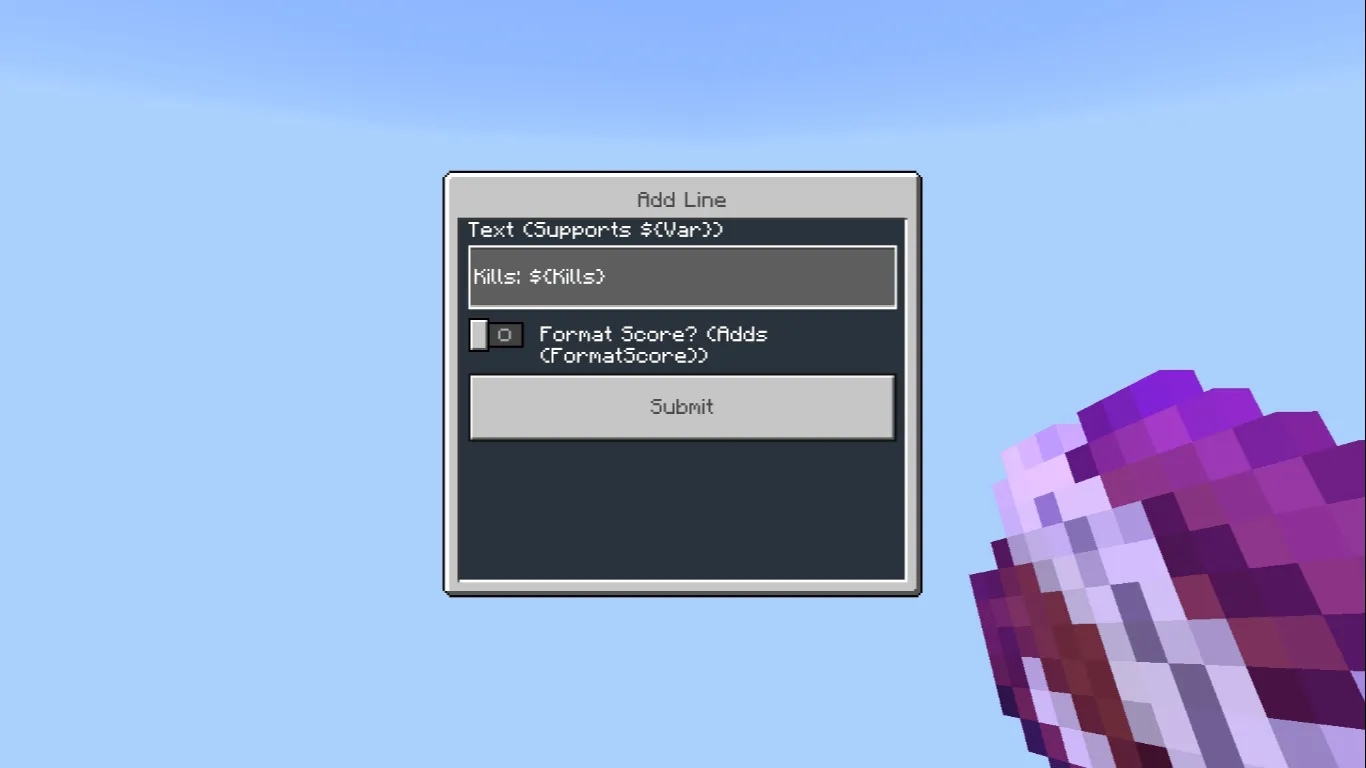
Use $objective(Kills)(format) to automatically format large numbers (e.g., 5000 to 5k, 1.2M, etc.).
Requirements
The "admin" or "Admin" tag is required in your world to function. This pack does not require the Beta API.