Numberblocks
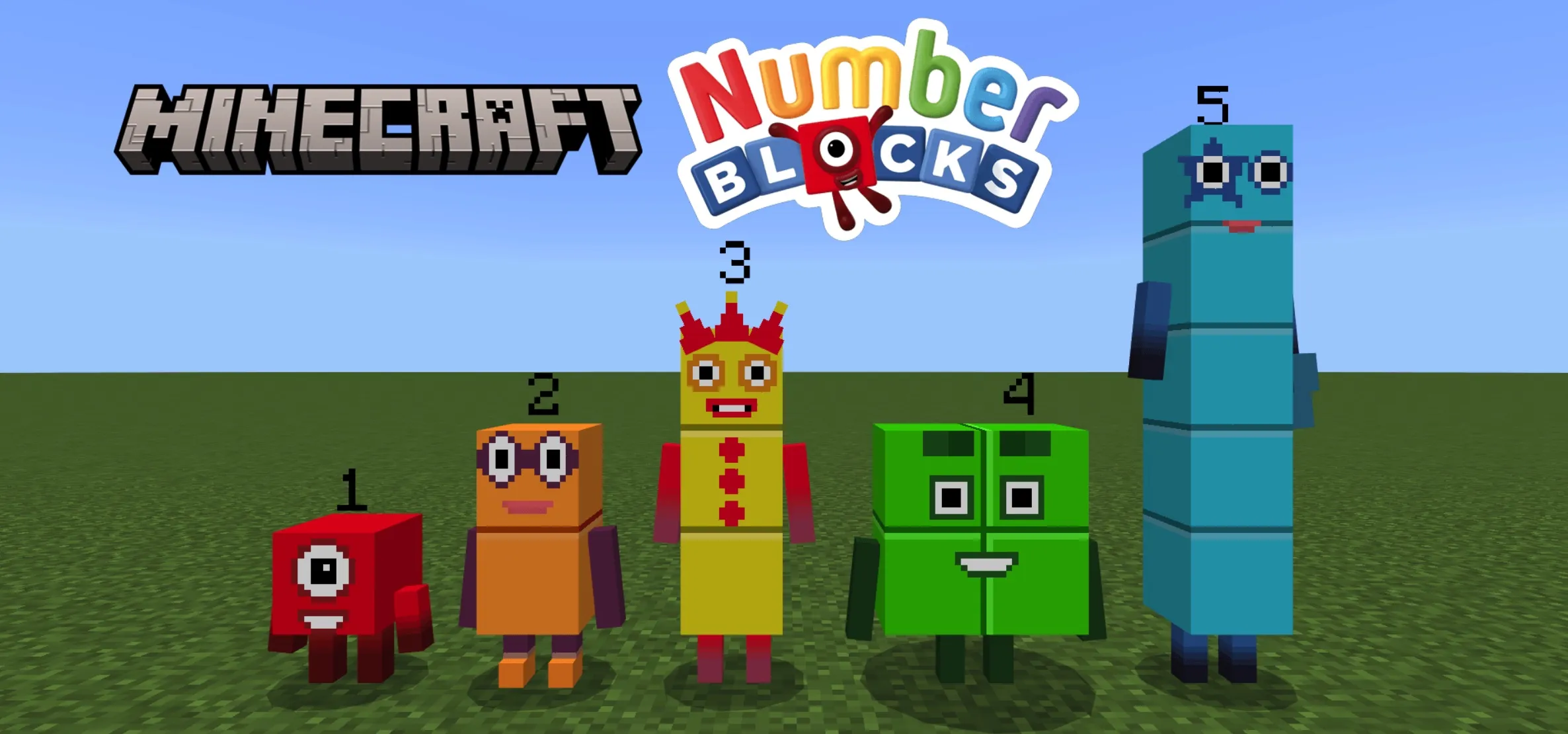
Do you need Numberblocks in Minecraft? This addon introduces the official Numberblocks characters from 0 to 100. Simply hold a "morph item" and long-press the screen or right-click to transform into your favorite Numberblocks character.
This addon includes the official 0-100 numbers and the 1-10 times table characters, allowing you to convert into these iconic forms with ease.
Default Appearance Settings:
- For players on Minecraft versions prior to 26.0 or with Beta APIs disabled, the default spawn form is the standard player.
- For players on version 26.0+ with Beta APIs enabled, you can customize your default appearance: standard player, Number One through Ten, random One through Five, or random One through Ten.
Morphing and Form Switching
Morph items are not consumed upon use and remain invisible in third-person view.
You can toggle between different forms for specific Numberblocks by long-pressing or right-clicking:
- Eight: Switch between 2×4 and cube forms.
- Ten: Switch between 2×5 and 1×10 forms.
- Fifteen: Switch between stair and 3×5 forms.
- Twenty-One: Switch between 3×7 standard and step squad forms.
- Twenty-Four: Switch between 3×8 and 4×6 forms.
- Twenty-Seven: Switch between cube and 3×9 forms.
- Twenty-Eight: Switch between standard, 4×7, and step squad forms.
- Thirty-Six: Switch between 6×6 and step squad forms.
- Forty-Five: Switch between stair and 5×9 forms.
- Fifty-Five: Switch between stair and 5×11 forms.
- Fifty-Six: Switch between standard and 8×7 forms.
- Sixty-Four: Switch between 8×8 and cube forms.
- Three Times Table: Switch between no-hat and hatted forms.
Your chosen morph form is saved automatically. Additionally, with Education Edition enabled, Zero and Times Table forms can fly in survival mode.
Crafting and Removing
- Crafting: Crafted using concrete or via specific Numberblocks combinations (crafting Zero does not consume One).
- Remove Morph: Hold the "Remove Morph" item and long-press or right-click to revert to your normal player form.
- Split: Numberblocks can be split back into smaller components on a crafting table.
Mobs and Interactions
Numberblocks spawn naturally in the Overworld, except for the Terrible Twenties. On Peaceful difficulty, the Terrible Twos and Octonaughty will not spawn but will persist if already present.
Naturally spawned Numberblocks drop their morph items upon defeat. Items spawned via spawn eggs or commands will not drop items, unless the following command is used:
/summon <numberblocks:EntityType> ~ ~ ~ ~ ~ minecraft:nature_spawn
- Combat Logic: There is a complex hierarchy of hostility. For instance, Eight, Twenty-Seven, Fifty-Six, etc., will actively attack "Terrible" Numberblocks. Standard Numberblocks will flee when attacked and only retaliate when provoked.
- Special Transformations: On Normal or Hard difficulty, if the Terrible Two defeats a 4, 9, or 16, they may transform into even more formidable versions. Shears can be used to trim their mustache or hats.
- Riding Mechanics: When the Times Table feature is active, you can ride specific Numberblocks if you are morphed into the corresponding numerical form.
Numberblobs and Utilities
- Numberblobs: Naturally occurring blobs have a chance to possess numerical properties. Use morph items on them to change their form or color.
- Magic Mirror: Crafted at a crafting table, the Magic Mirror allows you to copy morph items to obtain spawn eggs (requires coal or charcoal as fuel).
- Fractionator: Used to split Numberblocks into smaller parts based on factors of 2, 3, or 4. Octonaughties have a 25% chance of carrying this tool and will use it on other Numberblocks.