Java
Insanity Shader Resource Overview This is more than just a shader pack; it is a visual, psychological experience. Insanity Shader is a horror-themed renderer de
Publisher
Demon
Downloads
13
Top category
SHADER
Updated
2026-04-26
Insanity Shader
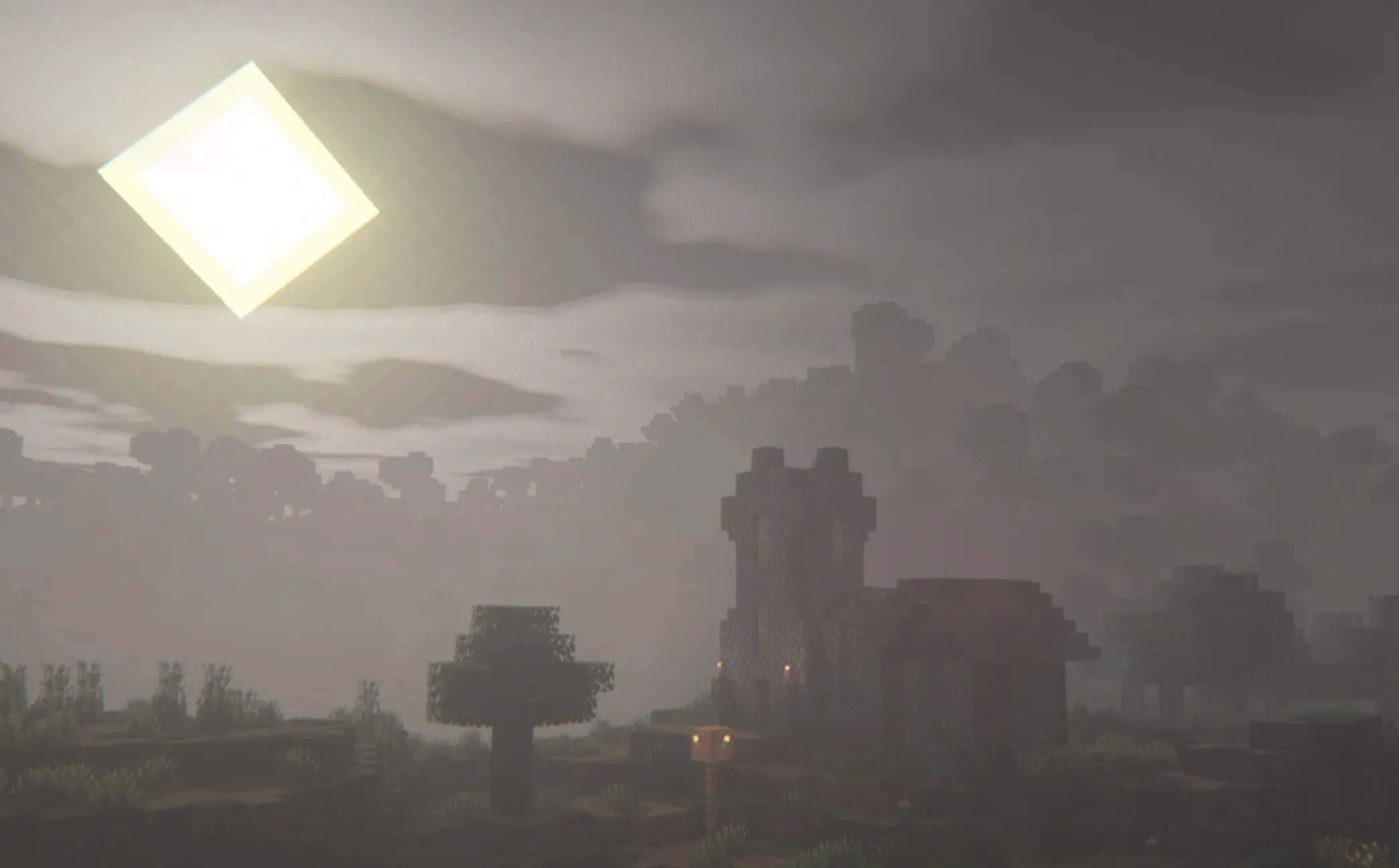
This is more than just a shader pack; it is a visual, psychological experience. Insanity Shader is a horror-themed renderer deeply customized based on the Iris architecture, meticulously crafted for players seeking the ultimate balance between terrifying atmosphere and smooth performance.
While its core architecture stems from the legendary BSL Shaders (developed by Capt Tatsu), Insanity Shader has been completely transformed. The author has broken through original limitations, introducing brand-new cloud rendering technology and unique, oppression-focused atmospheric algorithms. If you are familiar with the Fear Nightfall modpack, you are likely already acquainted with this exclusive shader—it was born specifically to make that sense of despair tangible.
Whether it’s during a misty morning or in the absolute darkness of night, this shader twists the world of Minecraft into a spine-chilling realm, all while granting players an unprecedented level of customization rights.
This is not just a visual change, but a reshaping of gameplay. Tailor-made for horror-themed modpacks, Insanity Shader strips away the warm, cozy tones of the base game and replaces them with a stylized, cold visual language, turning every exploration into a test of courage.
We have pushed past the original BSL configuration framework. Through expanded shader settings, you can fine-tune every visual element, allowing you to create a horror landscape that is uniquely yours.
Weather is no longer just background noise. From the eerie morning fog deep within the forest to torrential downpours, the immersive weather system makes the world feel alive (and malicious).
In this chaotic world, the settings menu is your only source of order. We have designed an extremely user-friendly interface, including a quick-access menu, making complex parameter adjustments intuitive and effortless.
Fear should not be gated by hardware barriers. Thanks to superior optimization logic, Insanity Shader maintains smooth performance even on modern mid-to-low-end graphics cards, allowing more players to experience this refined terror.
"Always carry a torch" is no longer just advice. With this shader, the darkness of night will swallow you whole, while the Nether and the End are transformed into true abysses. Light is your only hope for survival.
Regardless of which recent version of Minecraft you are playing, even 1.19+, it is perfectly compatible thanks to Iris. Furthermore, it fully supports "realistic" texture packs, bringing you a photo-realistic horror experience.
For the best visual experience, especially when using high-resolution texture packs, please ensure you perform the following:
Go to the Materials and Reflections settings page and manually enable the Advanced Materials option. This step unlocks the full potential of these shaders.
Can I share this shader with my community or friends? Absolutely. But please follow one principle: Do not directly redistribute the file itself. If you wish to share it, please send them the link to this page; it is the greatest respect you can show the author.
Can I use this to record videos? Feel free to let your creativity run wild. Whether it's a playthrough or a shader review, you are very welcome to use it. While attribution is not mandatory, we would be incredibly grateful if you mentioned the shader. If you create a review video, don't forget to share it with us in the comments—we would love to see your work.
To ensure the best performance and compatibility, we highly recommend running this shader via Iris Shaders (a fantastic alternative to OptiFine).
.minecraft\shaderpacks folder in your game directory.Insanity from the list.