Java
Glow Em All Shader Glow Em All Shader is a visual enhancement pack specifically designed for Minecraft Bedrock Edition. It grants a captivating self-luminescent
Publisher
Azion_Studios
Downloads
174
Top category
SHADER
Updated
2026-04-27
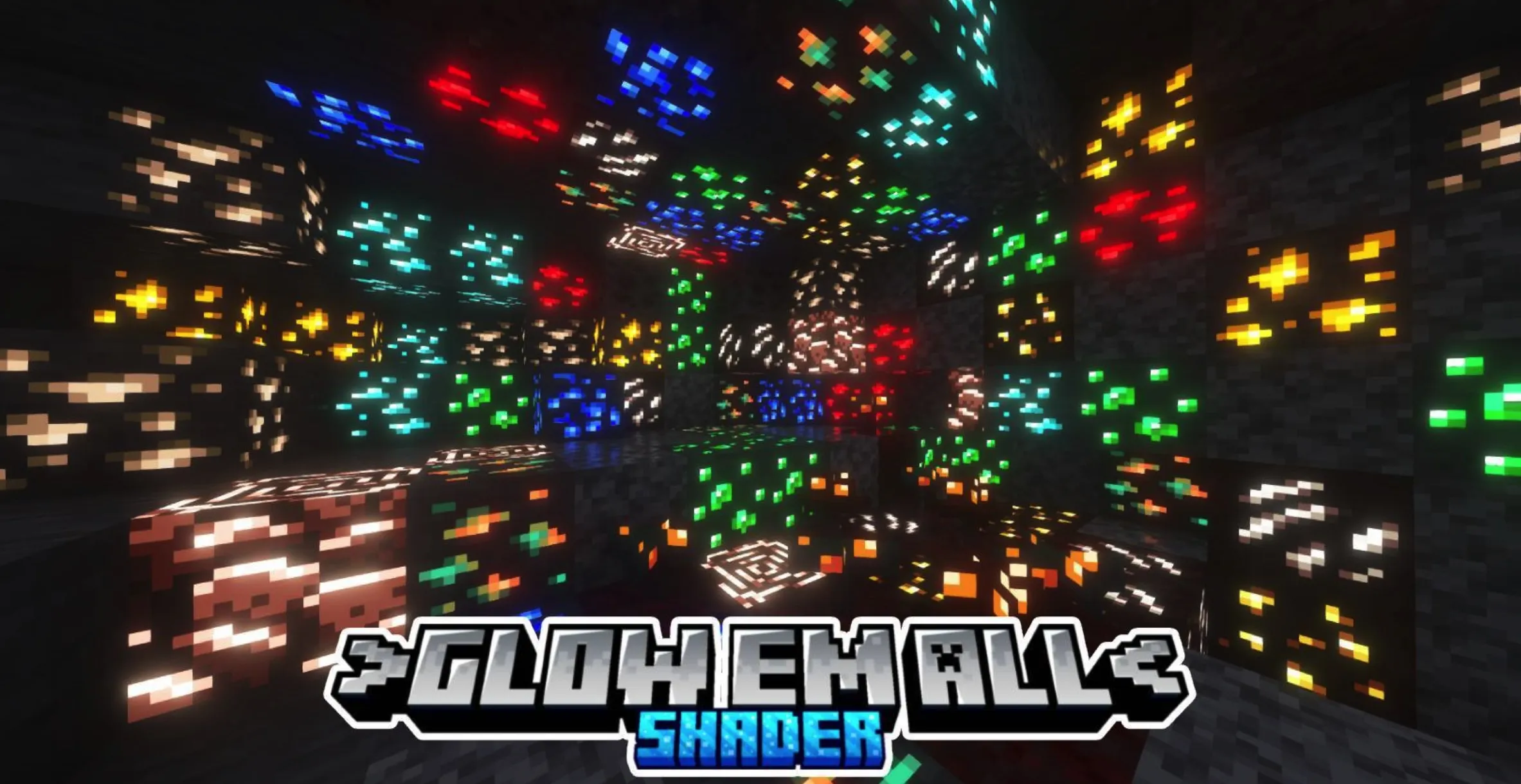
Glow Em All Shader
Glow Em All Shader is a visual enhancement pack specifically designed for Minecraft Bedrock Edition. It grants a captivating self-luminescent effect to ores, blocks, and the entire cave system, ensuring your mining journey is never monotonous or dark. Whether you're a hardcore player, a professional gamer, or someone who appreciates minimalist aesthetics, this shader allows for personalized customization through its parameters. Please note that configuring system patches is required before using this pack; therefore, be sure to read the installation guide below carefully before deployment.
Key Features
Cave Brightness Options
This mod includes multiple cave brightness modes designed to suit different exploration needs:
Installation Guide
Disclaimer: Minecraft Bedrock Edition does not currently provide native support for custom shaders. The following installation processes are unofficial; please proceed with caution.
Android
Windows
Linux (x86_64 Architecture)
This method applies to the mcpelauncher-manifest environment:
mcpelauncher-materialbinloader-mod.iOS
Regrettably, there is currently no simple solution for installing such custom shaders on iOS devices. This typically requires a jailbroken device or the installation of untrusted IPA files; therefore, this is not recommended for the average user.
Important Notes
Due to architectural changes Mojang has made to the game's lighting system, this shader pack is only compatible with Minecraft 1.21.100 and higher. If you attempt to use it on older versions (such as 1.21.94), the outdated lighting rendering logic will likely cause severe visual glitches.