Java

Enhanced Boss Bars

← Back to home

Gallery

Resource Images

4 images

Overview

Resource Description

Enhanced Boss Bars

Project Overview

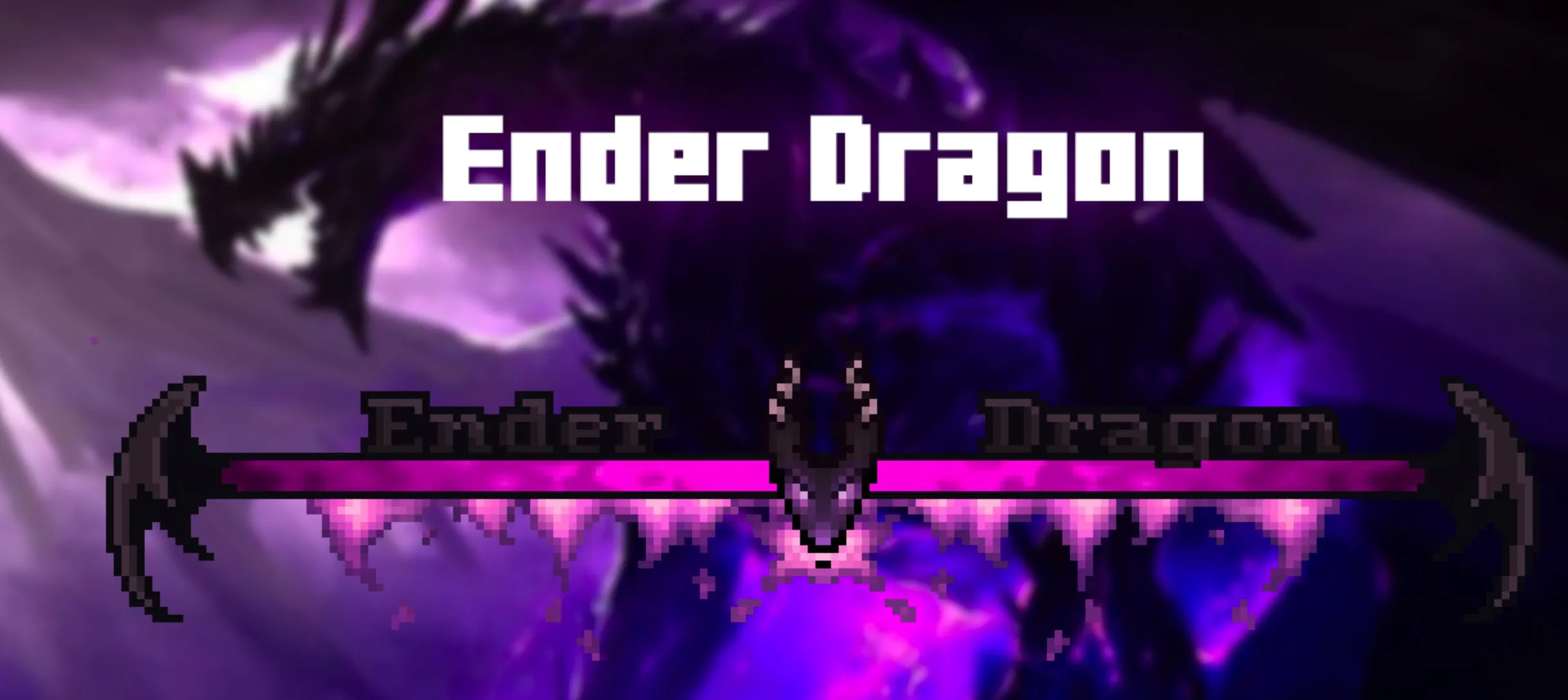
The Enhanced Boss Bars project aims to completely reshape the boss fight experience in Minecraft. By upgrading the visual quality of boss bars, this resource pack improves immersion and addresses the uninspired design of default bars.

To resolve compatibility conflicts with complex boss mods like Cataclysm or The Aether, I have specifically developed a complementary mod to ensure that boss bars display correctly. Please note that the phenomenon where boss bars appear as chat messages rather than boss names is not a bug, but rather an intended behavior based on how the resource pack functions.

If you have any suggestions regarding boss bars for specific mods, please leave a comment on the CurseForge page; I will add them to the support list for future updates. Thank you for your support and for checking out this project.


Mod Compatibility List

Due to some mods implementing their own boss bar systems, their interaction with this resource pack varies. Depending on the game version you are using, please consult the appropriate list below:

For 1.20.1 and Newer Versions

Mowzie's Mobs

  • Supported: Frostmaw
  • Incompatible: Ferrous Wroughtnaut
  • Incompatible: Umvuthi

Meet your Fight

  • Supported: Swampjaw
  • Supported: Bellringer
  • To be updated: Dame Fortuna
  • To be updated: Rosalyne, Blade of Dusk

Cracker's Witherstorm

  • Supported: Wither Storm
  • To be updated: Withered Symbiont

Alex's Mobs

  • Supported: Voidworm

Bosses of Mass Destruction

  • Supported: Night Lich
  • Supported: Void Blossom
  • Supported: Obsidilith
  • Supported: Nether Gauntlet

Twilight Forest

  • Supported: Alpha Yeti
  • Supported: Hydra
  • Supported: Naga
  • Supported: Snow Queen
  • Supported: Ur Ghast
  • To be updated: Twilight Lich

Incompatible Mods

  • L_Ender's Cataclysm
  • The Aether

For 1.19.2

Mowzie's Mobs

  • Supported: Frostmaw
  • Supported: Ferrous Wroughtnaut
  • Incompatible: Umvuthi

Meet your Fight

  • Supported: Swampjaw
  • Supported: Bellringer
  • To be updated: Dame Fortuna
  • To be updated: Rosalyne, Blade of Dusk

Cracker's Witherstorm

  • Supported: Wither Storm
  • To be updated: Withered Symbiont

Alex's Mobs

  • Supported: Voidworm

Bosses of Mass Destruction

  • Supported: Night Lich
  • Supported: Void Blossom
  • Supported: Obsidilith
  • Supported: Nether Gauntlet

Twilight Forest

  • Supported: Alpha Yeti
  • Supported: Hydra
  • Supported: Naga
  • Supported: Snow Queen
  • Supported: Ur Ghast
  • To be updated: Twilight Lich

Incompatible Mods

  • L_Ender's Cataclysm
  • The Aether

For 1.16.5

Mowzie's Mobs

  • Supported: Frostmaw
  • Supported: Ferrous Wroughtnaut
  • To be updated: Barako

Meet your Fight

  • Supported: Swampjaw
  • Supported: Bellringer
  • To be updated: Dame Fortuna
  • To be updated: Rosalyne, Blade of Dusk

Cracker's Witherstorm

  • Supported: Wither Storm
  • To be updated: Withered Symbiont

Alex's Mobs

  • Supported: Voidworm

Bosses of Mass Destruction

  • Supported: Night Lich
  • Supported: Void Blossom
  • Supported: Obsidilith
  • Supported: Nether Gauntlet

Twilight Forest

  • Supported: Alpha Yeti
  • Supported: Hydra
  • Supported: Naga
  • Supported: Snow Queen
  • Supported: Ur Ghast
  • To be updated: Twilight Lich

L_Ender's Cataclysm

  • Supported: Ignis
  • Supported: Ender Dragon
  • Supported: Netherite Monstrosity

Mod Compatibility Errors

If you encounter interface overlap or compatibility issues during setup, you can adjust the configuration using the following methods:

Jade

You can customize the Jade HUD position by modifying the Horizontal Ratio and Vertical Ratio, or disable it by following these steps:

For 1.19.2 and older versions:

  • Main Menu -> Mods -> Jade -> Config -> Jade Settings -> Display entities -> OFF

For 1.20.1 and new versions:

  • Main Menu -> Mods -> Jade -> Config -> Mod Settings -> Display Bosses -> OFF
  • Main Menu -> Mods -> Jade -> Config -> Mod Settings -> Boss Bars Overlap -> Push Down Tooltip

RPG-HUD

  • (In-game) Press Esc -> RPG-HUD -> Entity Inspector -> Show Entity Inspect: OFF (or change position)
  • (In-game) Press Esc -> RPG-HUD -> Compass -> Enable Compass: OFF (or change position)

Download

Get this resource

More In Category

Latest RESOURCEPACK Resources