Bedrock
Enchantment Icons Developer: CraftStudio Category: Texture Packs Overview Enchantment Icons is a high-utility resource pack for Minecraft Bedrock, designed to s
Publisher
CraftStudio
Downloads
31
Top category
RESOURCEPACK
Updated
2026-05-23
Enchantment Icons
Developer: CraftStudio Category: Texture Packs
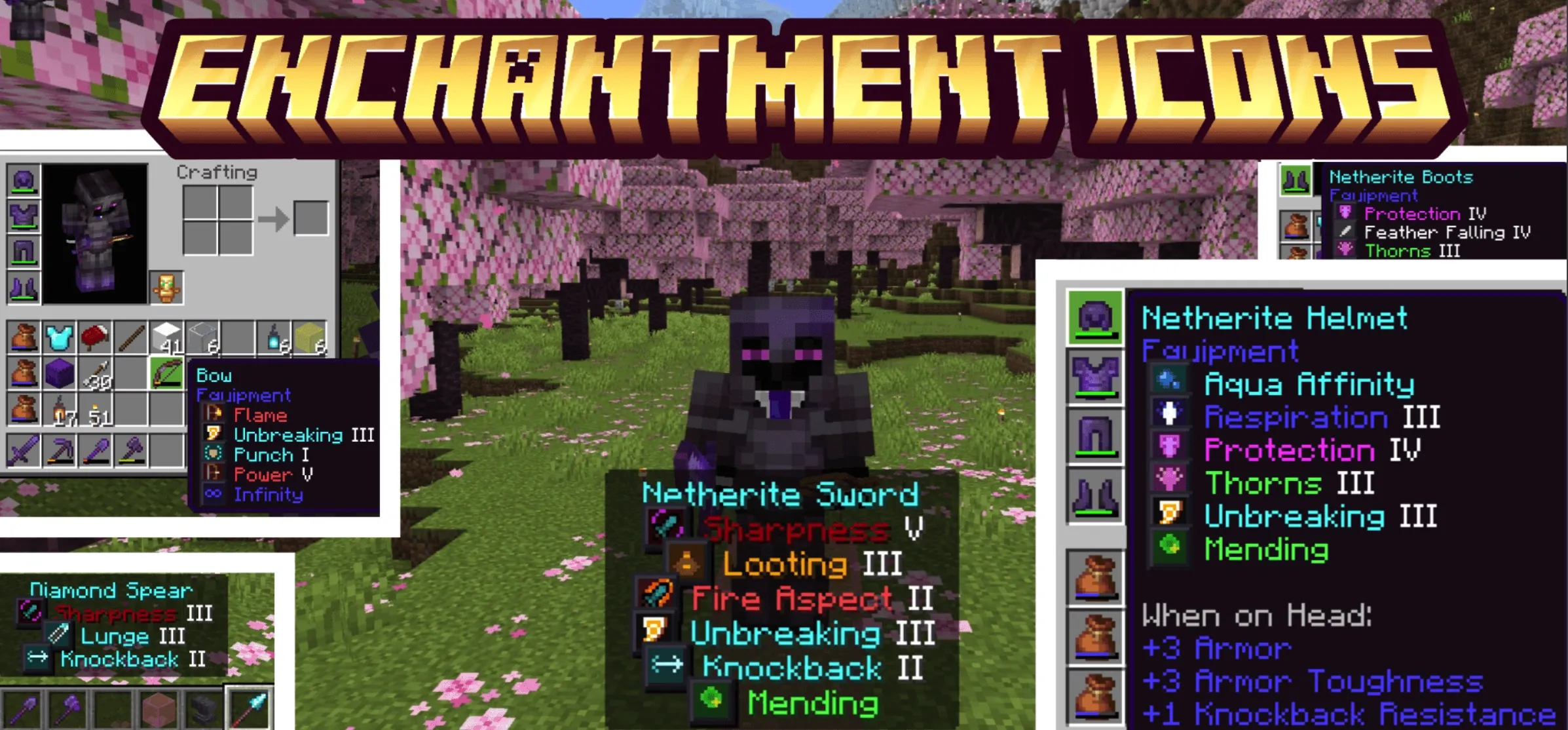
Overview Enchantment Icons is a high-utility resource pack for Minecraft Bedrock, designed to streamline your inventory management through visual enhancement. By adding distinct, color-coded pixel-art icons next to each enchantment name in your item tooltips, this pack eliminates the need to scan through walls of text, allowing you to identify enchantments at a single glance.
What's New The latest update introduces a "No Box" subpack variant, offering clean, minimalist icons without the dark background boxes. You can now toggle between "Boxed (Default)" and "No Box" styles directly within the pack settings screen, removing the need for separate downloads.
Included Content
Supported Languages This resource pack is built for global use, natively supporting 31 languages, including English, Chinese, German, Spanish, French, Italian, Portuguese, Russian, Japanese, Korean, and many others.
How It Works The pack utilizes custom glyph icons mapped directly to enchantment names via language files. To use it, simply activate the pack in your "Global Resources" and select your preferred style in the pack settings. The icons will automatically appear in your item tooltips. This is a completely standalone resource pack and requires no behavior packs, add-ons, or external dependencies.
How to Switch Styles
Compatibility