Bedrock
Distant Horizons See farther without turning your game into a slide show Mod Overview In simple terms, Distant Horizons adds simplified terrain beyond the defau
Publisher
jeseibel
Downloads
42
Top category
MOD
Updated
2026-04-26
Distant Horizons
See farther without turning your game into a slide show
Mod Overview
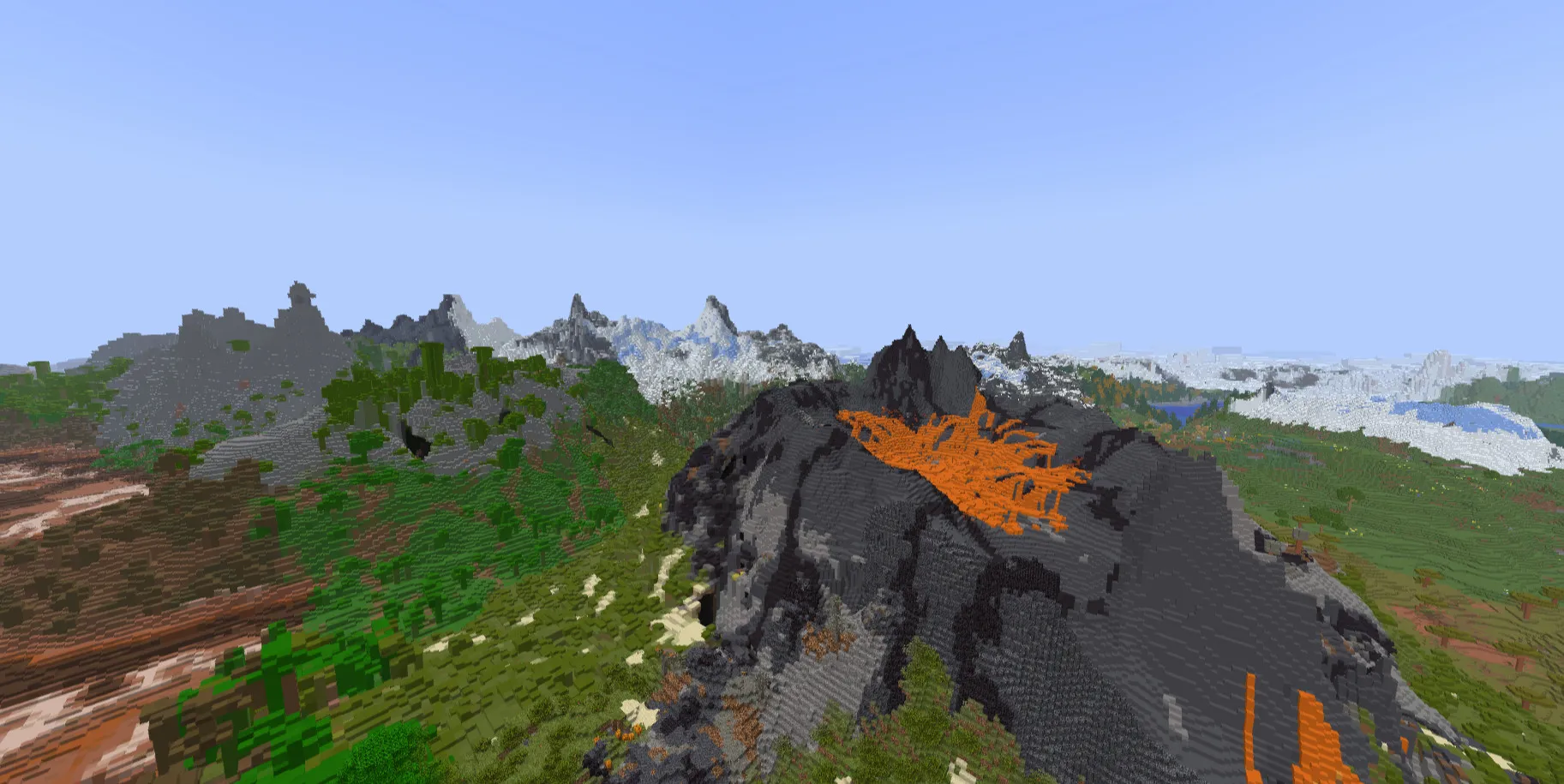
In simple terms, Distant Horizons adds simplified terrain beyond the default Minecraft render distance to enhance performance and enable extended draw distances. Now, you can finally enjoy fully viewing that lookout tower you constructed atop the mountains.
Note: This image was captured with a Minecraft render distance set to 12 and a mod distance set to 512.
For a quick demo, please check out the update video for this mod.
Important Notices and Version Warnings
The version support numbers are rigid! If a version states compatibility with MC 1.18.1, it will not function on 1.18.2.
Furthermore, please be aware this mod is still in beta. Features may change, break, crash, or result in unexpected behavior. You have been warned. However, should you encounter difficulties, feel free to submit an issue on the project's GitLab repository.
Frequently Asked Questions (FAQ)
Q: Forge or Fabric?
A: For MC 1.20.6 and newer, NeoForge and Fabric are maintained in the same JAR file. For MC 1.20.4 and older, Forge and Fabric are also contained within the same JAR file.
Q: Do you support shaders?
A: Yes, but strictly with specific shaders.
Q: Does this work with player-built structures?
A: Yes.
Q: Is there multiplayer support?
A: Yes.
Q: Where can I download the Bukkit plugin?
A: The Bukkit plugin has its own separate download page.
Extended FAQ
Q: Which version of Distant Horizons does this FAQ cover?
A: 2.3.0-b.
Q: What regarding Forge, Fabric, or NeoForge compatibility?
A: As mentioned above, it depends on the MC version. 1.20.6+ supports NeoForge/Fabric; 1.20.4 and older support Forge/Fabric in the same JAR.
Q: Supported Minecraft versions?
A: 1.16, 1.17, 1.18, 1.19, 1.20, 1.21.
Q: Shader compatibility details?
A: Caution is needed: OptiFine only partially works with forward-rendered shaders. Iris requires 1.7+ and specific shader support.
Q: Does it work with player-created structures or pre-made worlds?
A: Yes.
Q: How do I modify the mod settings?
A: In the pause menu in-game, or the options page before entering a world, look for a button to the left of the FOV slider that features our logo. Clicking this will open the configuration menu.
Alternatively, you may edit the config file directly. Navigate to your Minecraft folder, open the 'config' directory, and find "DistantHorizons.toml" to edit in a text editor. An example path is: C:\Users\James\AppData\Roaming.minecraft\config\DistantHorizons.toml.
Q: Does multiplayer support work seamlessly?
A: Yes. Client-side installation requires exploration to generate data, while a Server+Client setup allows for automatic synchronization of LOD data, provided "Distant Generation Enabled" is properly configured.
Q: Are resource packs supported?
A: Yes, resource packs are supported. If you encounter issues, please consult the "Problems and Solutions" page.
Q: Where does Distant Horizons store LOD data?
A: LOD data is stored in a SQLite database. You can use tools like DB Browser to open these files.
Q: How do I install the mod?
A: Installation follows the standard procedure for any Forge, Fabric, or NeoForge mod: install the mod loader and place the Distant Horizons JAR file into your .minecraft/mods folder.
Q: How can Distant Horizons render so far?
A: If you have experience with Source engine games (like TF2, CS:GO, HL2), you may recall the term "skybox." A skybox represents a separate area rendered behind the world to create the illusion of a vast environment.
We utilize a similar rendering approach. This ensures that what we render remains entirely separate from Minecraft's standard world. This separation prevents issues such as Z-fighting and other complications related to depth calculations.
Q: How do I shrink/clean an old database migrated from 2.0 to 2.1?
A: Ensure that the migration process is fully complete; otherwise, data loss may occur. You may monitor migration progress via the F3 menu; if the "migrating" row is absent, the process is finished.
To vacuum a SQLite database: