Bedrock
Block & Entity Details Author: FoxyFall Overview In Minecraft Bedrock Edition, obtaining instant status information about blocks, entities, or items usually
Publisher
FoxyFall
Downloads
122
Top category
MOD
Updated
2026-05-12
Block & Entity Details
Author: FoxyFall
Overview
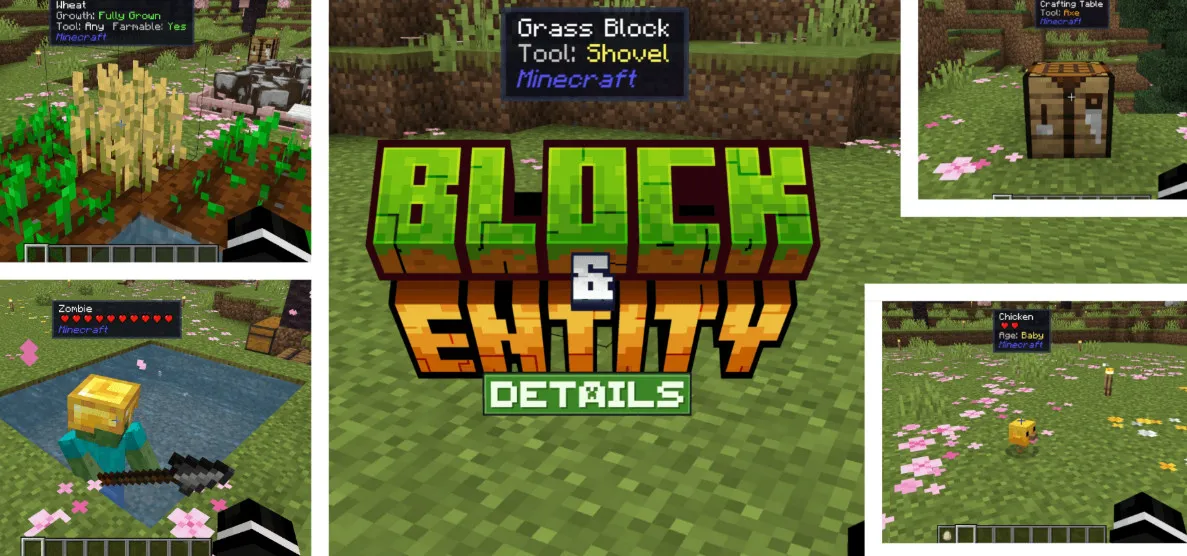
In Minecraft Bedrock Edition, obtaining instant status information about blocks, entities, or items usually requires cumbersome commands or extensive menu navigation. "Block & Entity Details" revolutionizes this by providing an intuitive HUD tooltip. You simply aim your crosshair at any object in the game world, and you will receive essential data—such as health, tool requirements, and crop growth percentages—instantly. The entire process requires no commands and no extra menu clicks, offering a true "look and learn" experience.
Detailed Features
This addon covers a wide range of game interactions, providing detailed insights as follows:
Entities It displays unit names, health (presented as custom heart icons), maturity status, taming status, tame probability, sitting status, charged creeper detection, sheared state, llama strength, rideable mob speed, and active potion effects.
Blocks It accurately identifies block names, suggests the correct harvest tool (e.g., Pickaxe, Axe, Shovel, Hoe, Shears), and monitors crop growth percentages, farmland moisture, honey level, composter fill level, cauldron fill, candle count, redstone power level, door state (open/closed), repeater delay, note block pitch, slab placement, end portal frame eyes, and respawn anchor charges.
Dropped Items When looking at dropped items on the ground, it displays the item name, stack count, display name, and any active enchantments.
Key Highlights
Universal Compatibility The design is inherently compatible with virtually any third-party addon, as its crop growth detection is not hardcoded.
Vanilla Aesthetic The health indicators utilize custom pixel art, ensuring they blend seamlessly with the original Minecraft visual style.
Smart Display Logic For mobs with high HP (such as the Warden or Ender Dragon), the system automatically switches to numeric HP values to provide precise data.
Namespace Identification You can instantly see which addon a block or entity originates from by viewing its namespace.
Optimized Performance Built using the stable Script API (no Beta APIs required) and fully compatible with version 1.21.80 and above. The codebase is highly lightweight and designed to run every tick with zero impact on game performance.
Installation & Usage Instructions
Important Note This pack will typically not appear in the main "Settings → Global Resources" menu. To activate it, edit or create a world, navigate to the "Behavior Packs" section, and enable the addon there. The Resource Pack will activate automatically.
How to Use Once installed, no configuration or commands are needed. Simply point your crosshair at any block, mob, or dropped item, and the detailed tooltip will appear automatically at the top of your screen.