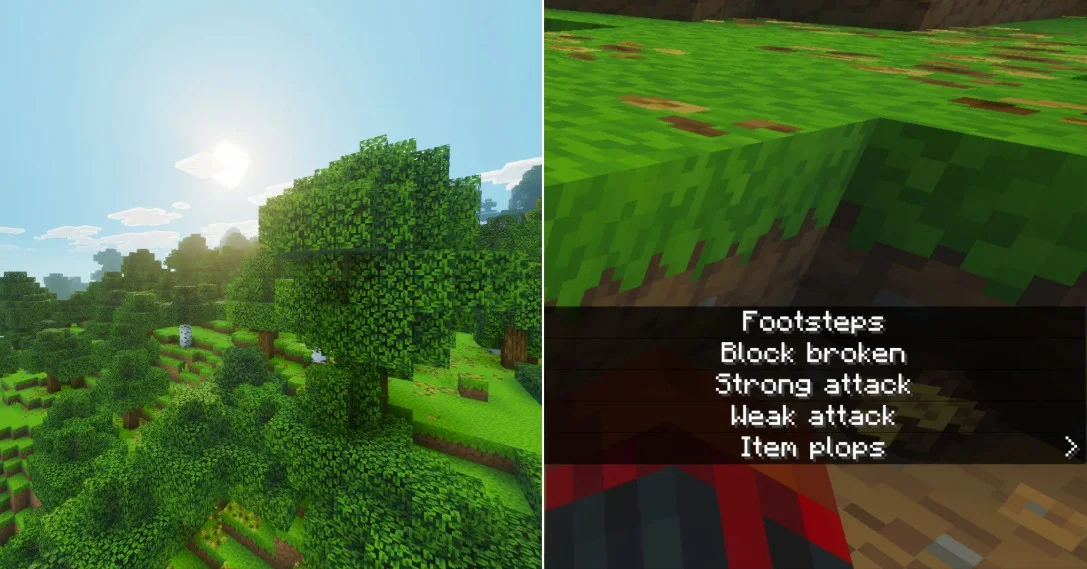
Guide to Using the Subtitle Feature in Minecraft Bedrock Edition
How to Enable the Subtitle Feature
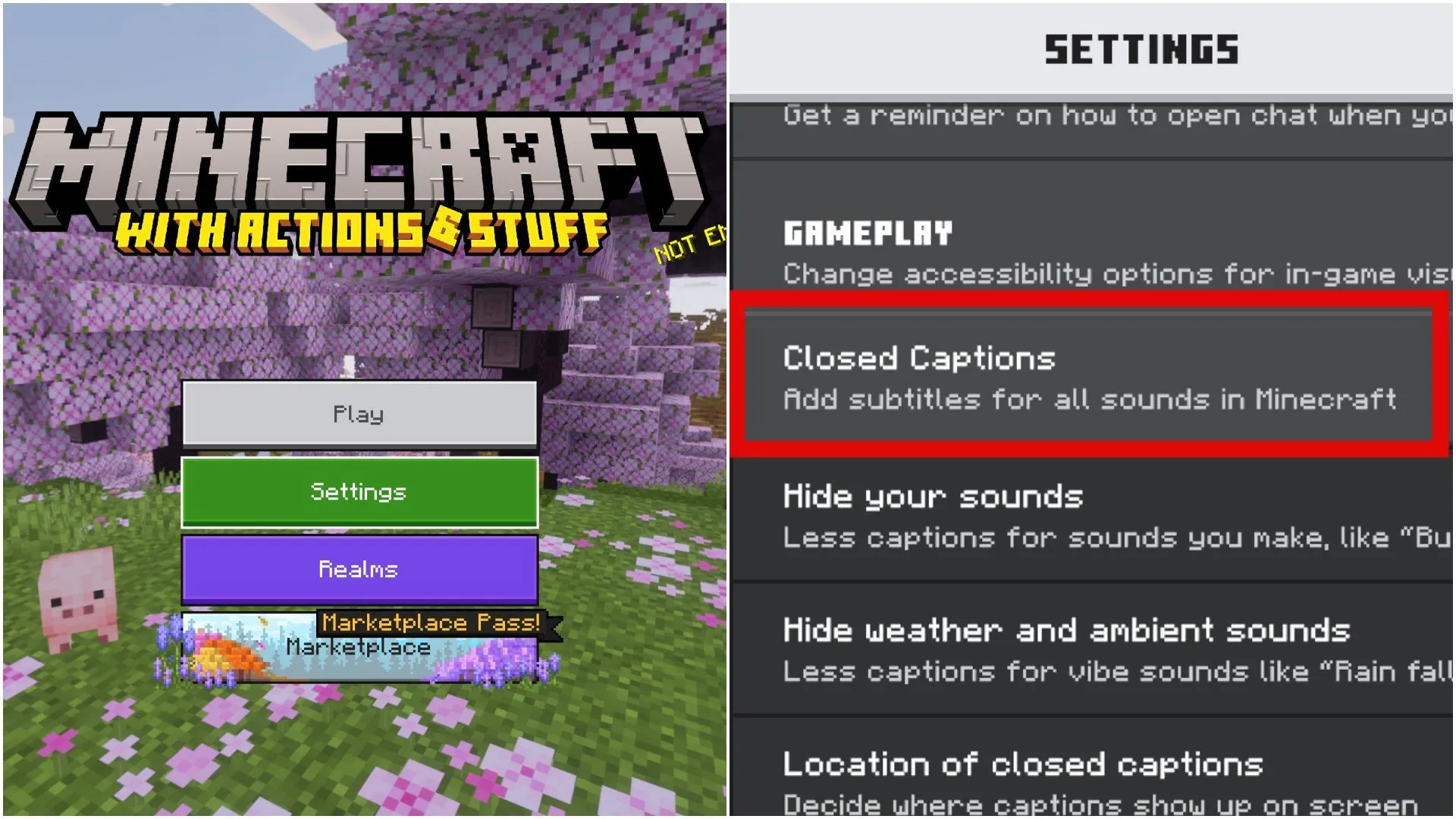
Enabling subtitles in the game is very simple; the option is located in the "Accessibility" settings. Please follow these simple steps:
- Launch Bedrock Edition and confirm that the game version is 26.20 (you can check this in the bottom right corner of the main menu).
- Open the "Settings" menu and click on the "Accessibility" tab.
- Scroll down to the "Gameplay" section to find the toggle for subtitle-related features.
- Enable the feature to further adjust specific display parameters.
Adjusting Subtitle Settings
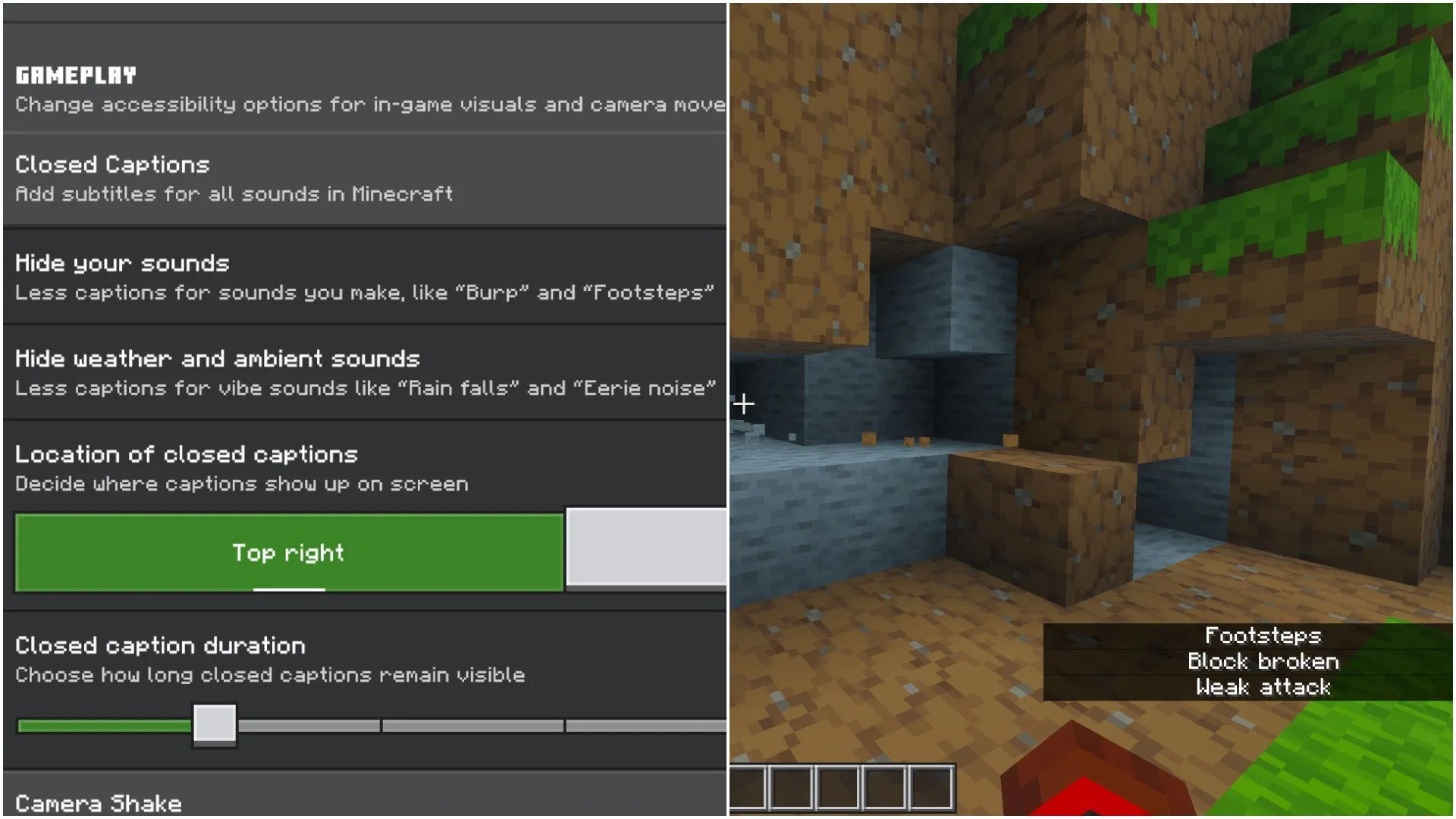
Once the subtitle feature is enabled, the screen will display text descriptions for various in-game sound effects. Players can make detailed, personalized adjustments in the "Accessibility" settings according to their preferences.
The first toggle you see is for enabling or disabling "Self Sounds." If you do not wish to see subtitles for sounds made by your character during actions (such as footsteps, eating/burping, or taking damage), you can turn this off.
The second toggle controls the display of "Weather or Ambient Sounds." If you do not need to see subtitle prompts for rain, wind, or cave ambient sounds on your screen, you can choose to turn this option off.
The next setting is for adjusting the "Subtitle Position on Screen." Currently, players can choose to place them in the top-right or bottom-right corner of the screen. Some players may prefer the bottom-right corner, which aligns with the layout in the Java Edition.
The final setting is for adjusting the "Subtitle Duration." Once a subtitle appears, it will automatically disappear after a set time; you can adjust this according to your reading habits. If you want the subtitles to stay on screen longer, you can set the timer to 3 or even 4 seconds.