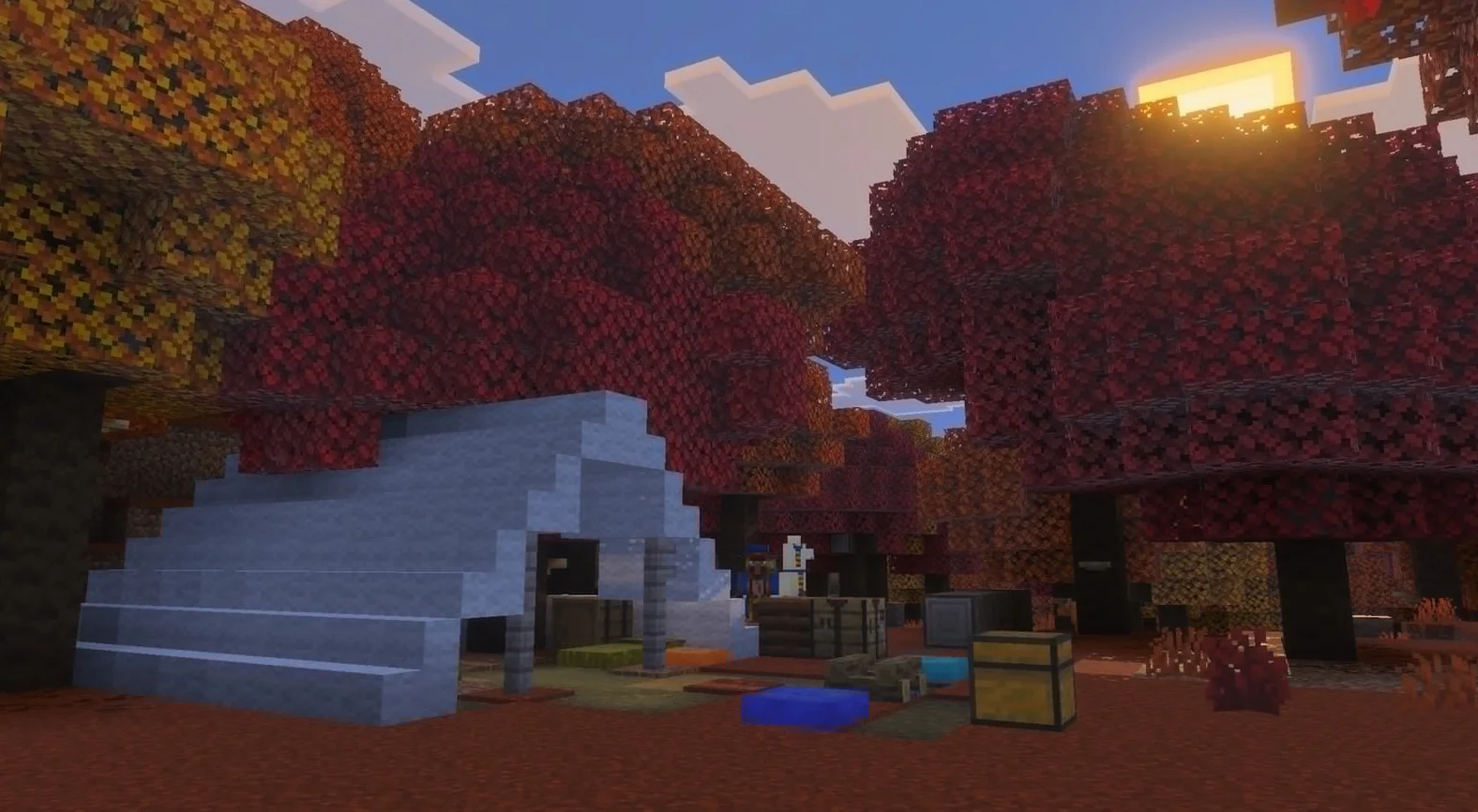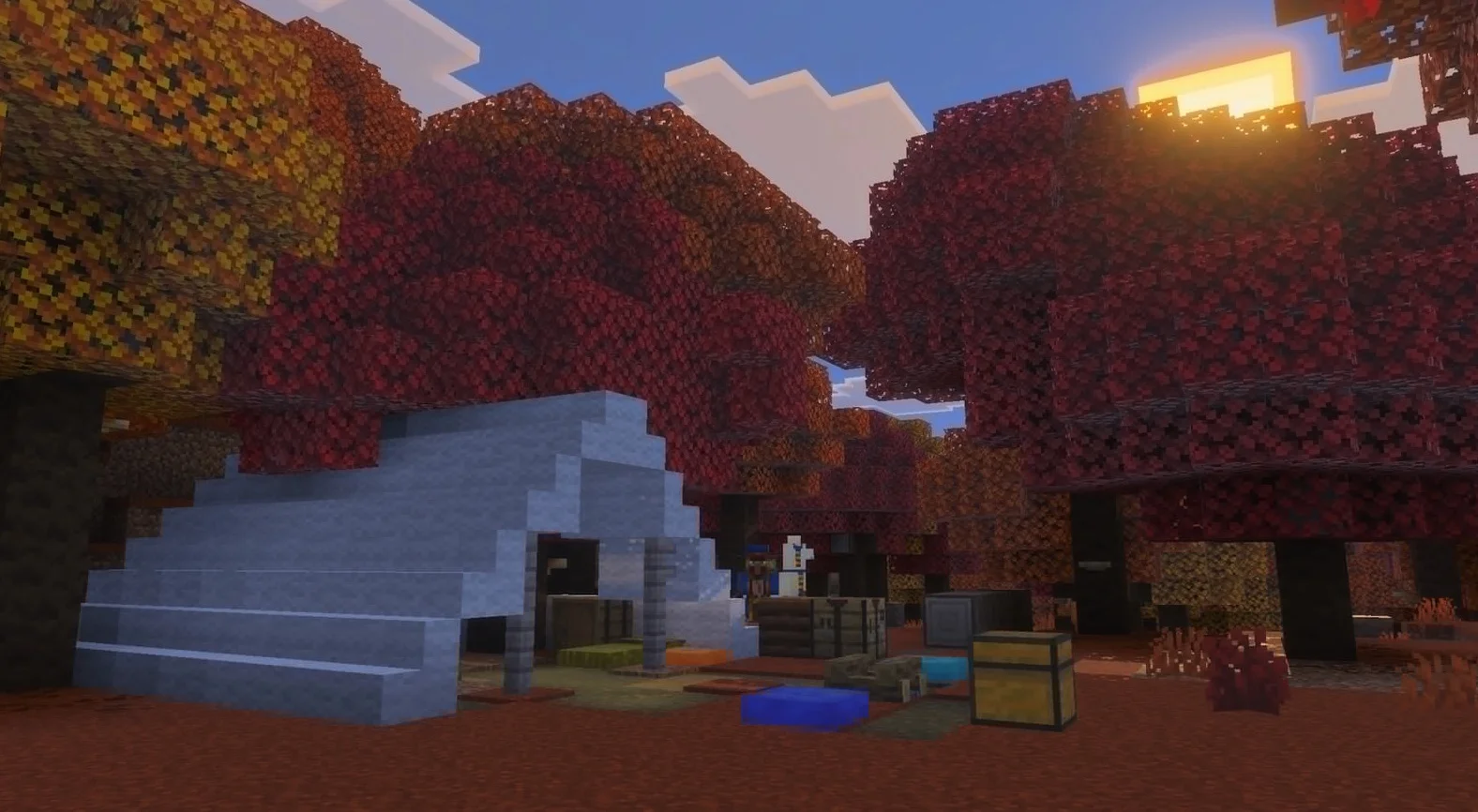
26.3-snapshot-6 is the 6th snapshot for Java Edition 26.3, released on July 28, 2026[1], which tweaks abandoned camp structures, the world options UI, and terrain block rendering methods, alongside fixing several bugs.
Contents
- 1 New
- 1.1 General
- 2 Changes
- 2.1 Blocks
- 2.2 Mobs
- 2.3 World Generation
- 2.4 Command Format
- 2.5 General
- 3 Fixes
- 4 Videos
- 5 Notes
- 6 References
- 7 Navigation
New
General
Density Functions
- Added
pow.- Raises a given value to a power.
- Format: Object with fields:
base: Density function, the base value to calculateexponent: Density function, the exponent to calculate
- Added
sqrt.- Calculates the square root of a given input value.
- Format: Object with fields:
input: Density function, the value to calculate the square root of
- Added
log.- Calculates the natural logarithm of a given input value.
- Format: Object with fields:
input: Density function, the value to calculate the natural logarithm of
- Added
sign.- Calculates the sign of an input value:
- Returns
1if the input is positive - Returns
0if the input is0 - Returns
-1if the input is negative
- Returns
- Format: Object with fields:
input: Density function, the value to calculate the sign of
- Calculates the sign of an input value:
- Added
distance_to_point.- Calculates the distance to a fixed point using a specified metric.
- Format: Object with fields:
point: An array of 3 integers in the format[x, y, z], the target to calculate the distance tometric: One of the following values:euclidean, representingsqrt(dx^2 + dy^2 + dz^2)euclidean_squared, representingdx^2 + dy^2 + dz^2manhattan, representingabs(dx) + abs(dy) + abs(dz)chebyshev, representingmax(abs(dx), abs(dy), abs(dz))
- Added
slice.- Takes a "slice" along a specific axis, removing a dimension from the input domain. For example, when
axis=yandcoordinate=0, it slices along the XZ plane, with all values sampled aty=0. - Format: Object with fields:
axis:x,y, orz, the axis to removecoordinate: Integer, the fixed coordinate passed to the input functioninput: Density function, acting as the input function
- Takes a "slice" along a specific axis, removing a dimension from the input domain. For example, when
Noise
- Added the
base_amplitudefield.- A non-negative float, representing the scale factor applied to the noise output.
- Defaults to 1.0 if not specified.
- Added the
octave_countfield.- An integer between 1 and 32, representing the number of octaves to sample.
- Added the
normalizefield.- Used to control whether the output amplitude is normalized.
- Format: Boolean or
legacy:true:base_amplituderepresents the expected output amplitude, meaning 99.7% of samples fall within[-base_amplitude;base_amplitude].false:base_amplituderepresents the amplitude of the first octave.legacy: Uses the normalization behavior of the legacy noise format.
- Defaults to
trueif not specified.
Options
- Added the "Quit Game Shortcut" option to control whether keyboard shortcuts can close the game.
- When disabled, Alt + F4 on Windows/Linux, as well as ⌘ Command + Q and ⌘ Command + W on macOS, will not close the game.
- Although described as such in the option's tooltip, testing shows that Alt + F4 on kwin_wayland will still close the game if assigned to "Close Window".[2]
- When disabled, Alt + F4 on Windows/Linux, as well as ⌘ Command + Q and ⌘ Command + W on macOS, will not close the game.
Recipes
- Added the
groupfield to wool slab and wool stairs recipes.- Wool Slab:
woolen_slab - Wool Stairs:
woolen_stairs
- Wool Slab:
Changes
Blocks
Straw Bed
- Changed the textures.
Mobs
Stray Skeleton
- Removed extra pixels from the texture.
World Generation
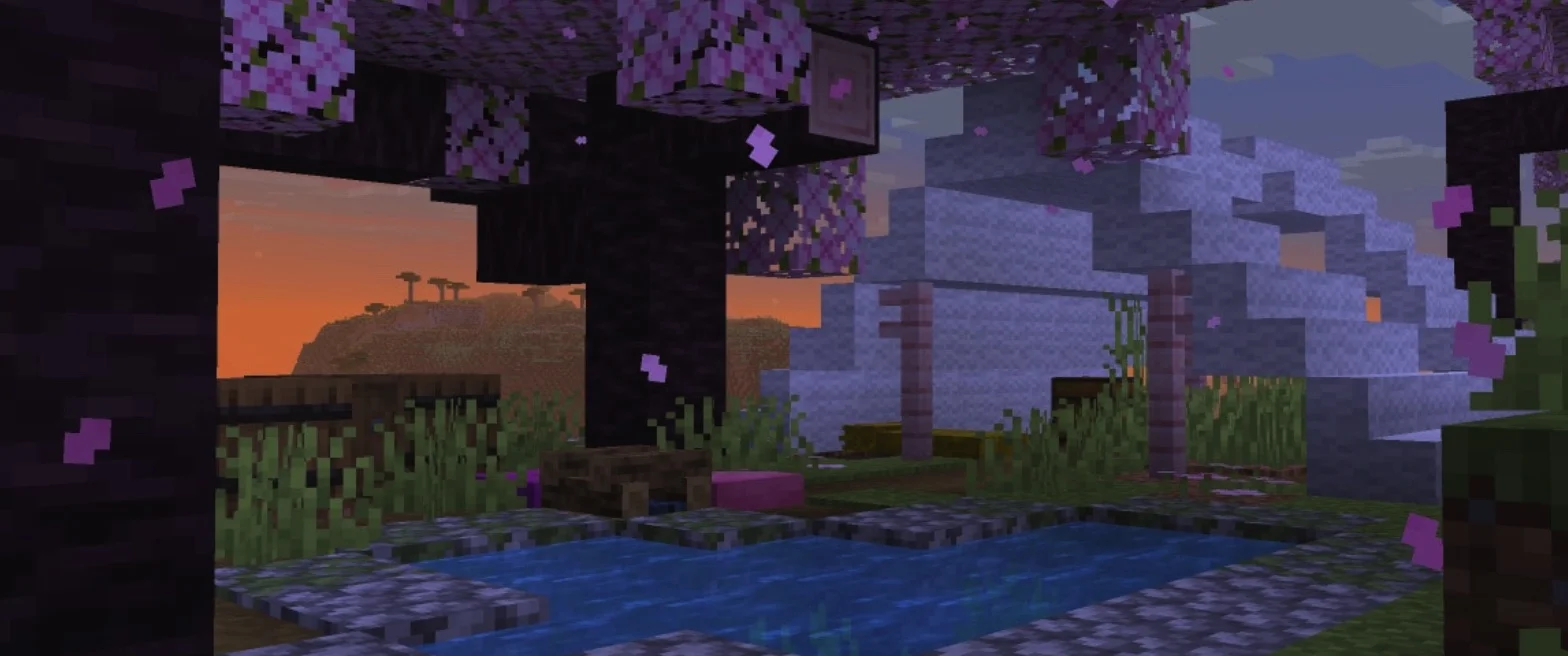
Abandoned Camp
- Added a new camp variant for each biome.
- Minor adjustments made to all structures.
Command Format
/publish
- Removed the
gamemodeargument.- The world's default game mode should now be set using the
/defaultgamemodecommand or the "Game Mode" button in the "World Options" screen, while game modes for specific players should be set using the/gamemodecommand.
- The world's default game mode should now be set using the
General
Data Packs
- Changed the data pack version number to
113.0.
Resource Packs
- Changed the resource pack version number to
94.0.
Options
- The "World Options" option has been moved to the former position of the "Open to LAN" option.
- The "World Options" screen now contains two sections: "General" and "Multiplayer".
- The "General" section contains the same options as the original "World Options" screen.
- The "Multiplayer" section contains three options:
- LAN: Changes the multiplayer scope of the world.
- Command Permissions: Controls whether players joining the world can use commands.
- Port: The port number used when opening the world to LAN.
- The "Online Options..." button is now always visible in the options menu.
Rendering
- Terrain blocks are now rendered using MultiDrawIndirect on devices that support it.
Data Components
- The
burn_timeandspeed_multiplierfields ofminecraft:cooking_fuelnow also accept inline constants. - The
usesandspeed_multiplierfields ofminecraft:brewing_fuelnow also accept inline constants. - The
layersfield ofminecraft:compostablenow also accept inline constants.
Entity Data Format
- Added the
invulnerable_timetag, making entities temporarily immune to damage for a specific number of game ticks.
Loot Context
- Changed
minecraft:block_interact.originis now available in the context as the center of the block being interacted with.
Noise
- Updated the noise format.
- Noise defines a Fractal Brownian Motion (fBm) configuration with the following properties:
- Generated output values are (approximately) normally distributed.
- Unless otherwise specified, output amplitudes are fitted to the
[-1;1]range. - Due to the normal distribution, this practically means 99.7% of samples will fall within this range, though values outside this range may still be encountered.
- Parameterized as
persistence=0.5,lacunarity=2.0, meaning between each octave, the amplitude is halved and the frequency is doubled. - Features stable seed setting, allowing octaves to be enhanced, muted, or added without affecting other octaves.
- Renamed
firstOctavetobase_octave. - Renamed
amplitudestoamplitude_modifiers.
- Noise defines a Fractal Brownian Motion (fBm) configuration with the following properties:
Density Functions
- Changed
gradient.- Renamed from
y_clamped_gradient.axis:x,y, orz, defining the axis of the gradient.tiling: One of the following values:clamp_to_edge: Values beyond the gradient will use the value of the nearest boundaryrepeat: The gradient repeats outside the boundariesmirrored_repeat: The gradient repeats outside the boundaries, but odd repetitions are mirrored to ensure continuity of repetition
from_coordinate: Integer, the starting coordinate of the gradientto_coordinate: Integer, the ending coordinate of the gradient- Not allowed to be equal to
from_coordinate.
- Not allowed to be equal to
from_value: Float, the value at the start of the gradientto_value: Float, the value at the end of the gradient
- Renamed from
- Renamed density function type
end_islandstoend_outer_islands.- No longer calculates the density of the main island.
Template Pools
- Changed
minecraft:feature_pool_element.- Jigsaw blocks of any target name can now be linked, rather than just
minecraft:bottom.
- Jigsaw blocks of any target name can now be linked, rather than just
Equipment Assets
- The
trim_palette_replacementsfield has been superseded bytrim_overrides. This allows a given equipment asset to swap textures or palettes when specified trim materials or patterns are used, rather than only swapping palettes.- Format: A list of override entries:
when: An object matching materials and/or patterns.material: Optional trim material ID, matching the material when specified.pattern: Optional trim pattern ID, matching the pattern when specified.- Note: This is not a palette ID and is not the format used by
trim_palette_replacements!
- Note: This is not a palette ID and is not the format used by
- At least one of
materialandpatternmust be specified. - If both are specified, both must match for it to be used.
texture: Optional trim pattern asset ID, the replacement texture to use if this entry matches.- Textures are specified in the same format as
asset_id. - If not specified, the pattern's default texture is used.
- Textures are specified in the same format as
palette: Optional palette ID, the replacement palette to use if this entry matches.- If not specified, no palette remapping is applied to the texture.
- The first matching entry is always selected.
- At least one of
textureandpalettemust be specified.
- Format: A list of override entries:
Shaders and Post-processing Pipelines
- The
terrain.vshandterrain.fshshaders have been refactored to support multi-draw. - Certain members of
GlobalsandDynamicTransformshave been shuffled to reduce the memory usage of these uniform blocks. - Added a new definition:
RENDERPEARL_EXPLICIT_DEPTH_INVARIANCE, which if present, indicates that OIT shaders should explicitly output depth values, as the device running them would otherwise produce slightly different implicit values.
Fixes
Fixed 43 bugs
Bugs from pre-26.3 releases
MC-159283 — There are multiple ring regions in the End that do not generate terrain.
MC-299582 — Special crafting recipes behave differently from other recipe types for the /recipe command and limited_crafting game rule.
MC-304195 — The stray skeleton's arm overlay texture contains extra pixels not used by the model.
MC-307206 — Std140Builder is incorrectly padded for vec3 and ivec3.
MC-307996 — Game fails to use hardware acceleration on devices lacking fillModeNonSolid Vulkan features.
MC-308694 — Using /defaultgamemode in a LAN world changes everyone's game mode to the one set in "Settings for other players".
MC-308699 — Newly joined LAN players ignore the enforced game mode after switching the host's game mode.
MC-308749 — Leaving and rejoining the same LAN session resets the game mode.
MC-308866 — Unable to modify online options within a world.
MC-310115 — Firework rocket tooltips contain a formatting placeholder in languages other than English (US).[Note 1]
Bugs from 26.3 development versions
MC-309720 — Straw bed textures have missing and extra pixels.
MC-309958 — Off-by-one error in SynchedEntityData.Builder#define.
MC-310021 — The campsite_old_growth_spruce_taiga_2 structure in abandoned camps has 2 overlapping cushions.
MC-310088 — Taskbar icon displays the Java icon instead of the game icon.
MC-310099 — Game freezes if the head and foot of a straw bed face different directions.
MC-310101 — On macOS, ⌘ Command + W now closes the game.
MC-310122 — Navigating pie charts with the keyboard does not work properly.
MC-310132 — Armor trim textures can no longer be overridden.
MC-310134 — The toggleable "Exclusive Fullscreen" button and "Exclusive Fullscreen Mode" slider are still present on macOS.
MC-310136 — Player skin rendering is abnormal when the "Improve Transparency Display" option is enabled.
MC-310143 — IME candidate windows do not display in fullscreen mode even when the "Exclusive Fullscreen" option is disabled.
MC-310155