Bedrock
VDX: Java/Desktop UI v3.2.12 [v26.30] Author: CrisXolt VDX: Java/Desktop UI is a resource pack for Minecraft Bedrock Edition. Its main purpose is simple: it res
Publisher
CrisXolt
Downloads
1
Top category
MOD
Updated
2026-07-03
VDX: Java/Desktop UI v3.2.12 [v26.30]
Author: CrisXolt
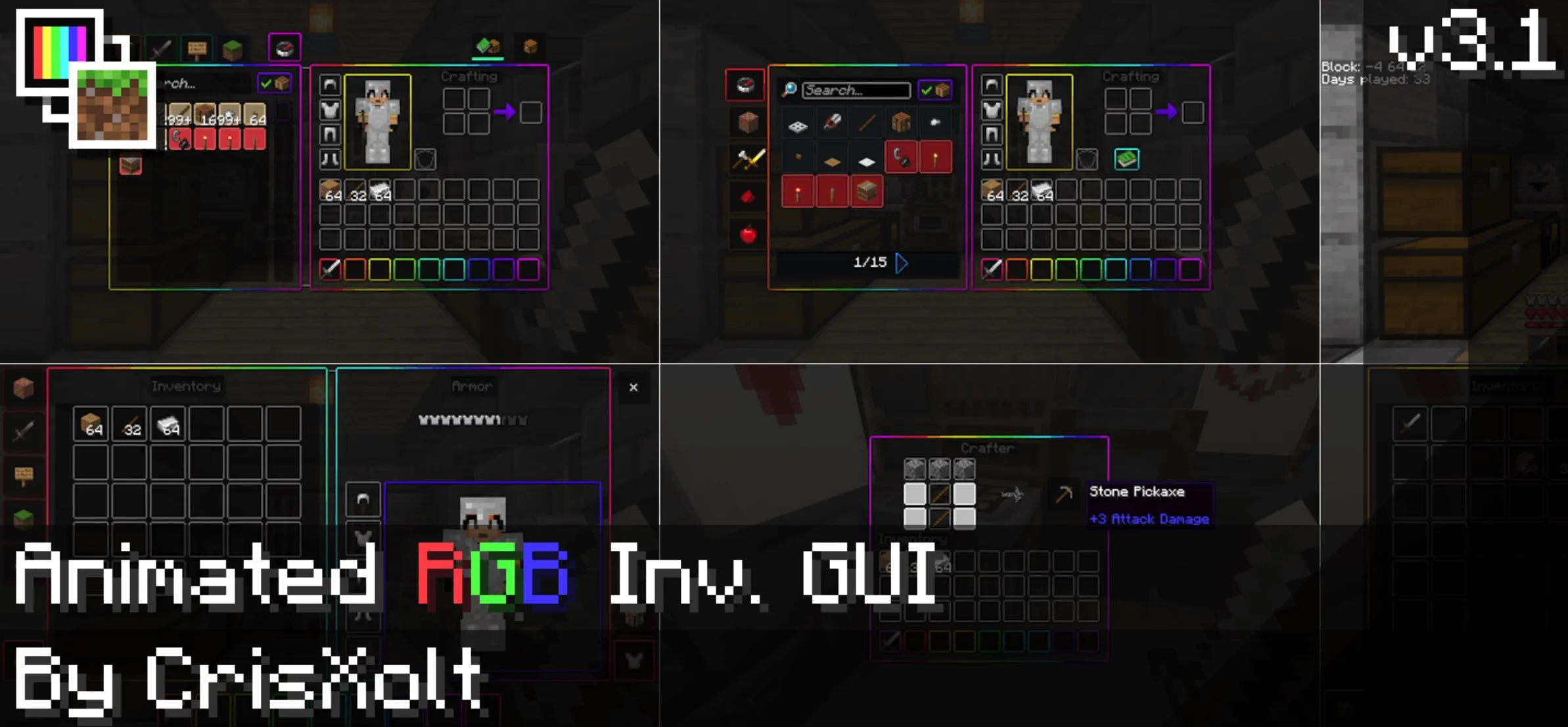
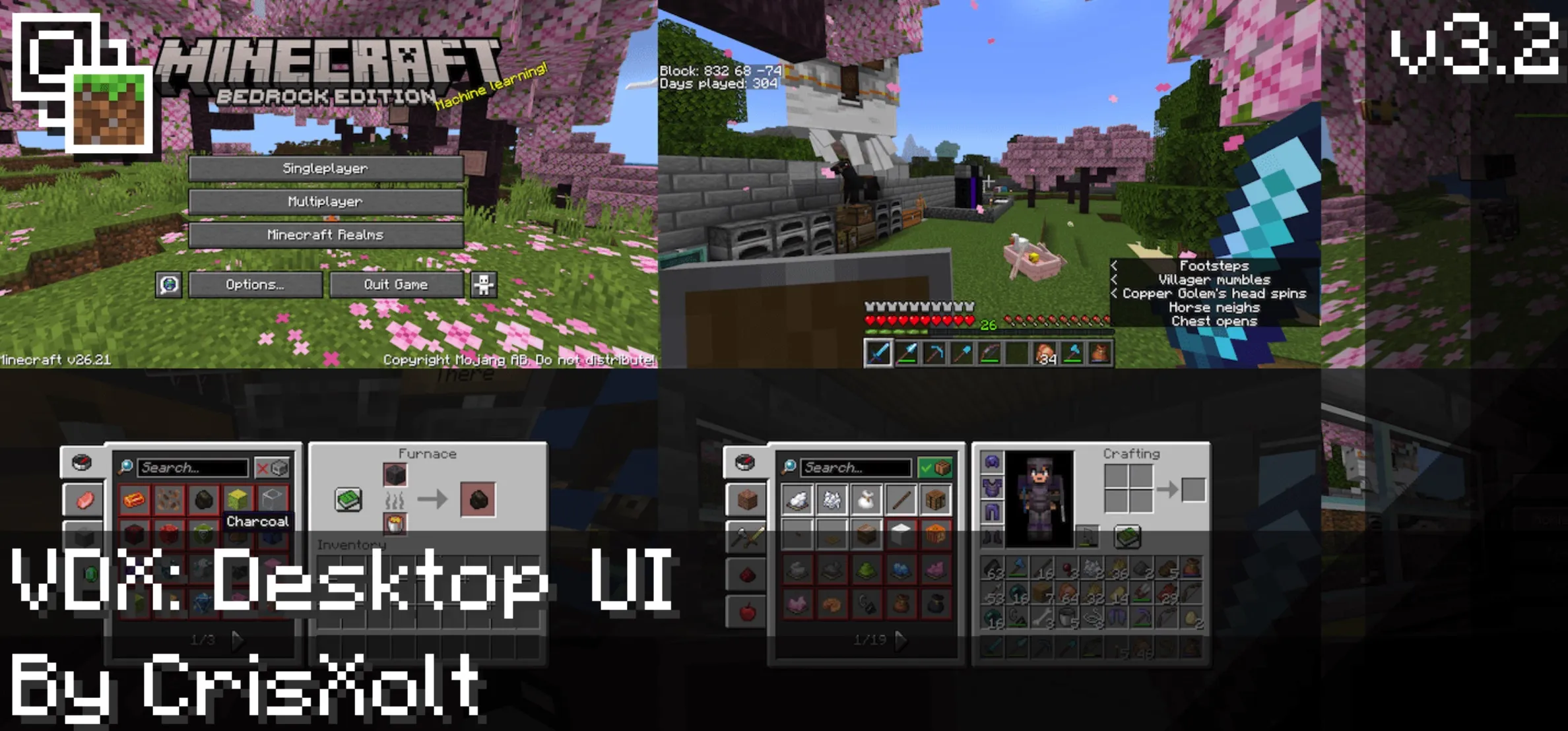
VDX: Java/Desktop UI is a resource pack for Minecraft Bedrock Edition. Its main purpose is simple: it reshapes the default Bedrock interface into a style that feels much closer to Java Edition’s desktop UI. For players who are used to Java Edition menus, inventory screens, container layouts, and PvP-oriented interface design, this pack makes Bedrock Edition feel more familiar and more in line with the classic desktop Minecraft experience.
Before You Use It
If you are using a mobile device, it is recommended to set “File Storage Location” to “External” before importing the resource pack. Future Bedrock Edition updates may break or alter modified UI data, and an incorrect storage setup could create risks for saved data in certain cases.
Ore UI is also gradually replacing many older JSON UI screens in Bedrock Edition. As a result, some screens can no longer be modified through a normal resource pack alone. If you still want to restore certain older screens in current versions, you may look into external solutions such as ForceCloseOreUI, but those methods should be used carefully and at your own risk.
Before enabling the pack, it is worth reading the compatibility notes, known issues, and usage terms. VDX modifies interface data rather than gameplay systems, but it is still affected by game updates and changes to the UI engine.
Vanilla DX UI
Vanilla DX UI is one of the earlier directions in the VDX series, predating “Modified Vanilla” and “Vanilla Enhanced.” It began as a testing texture pack around fall 2016, with the goal of improving UI elements and related visual assets rather than adding complex gameplay features.
Its main idea was to make Java Edition menus, container screens, and inventory GUI textures easier and more efficient to port into Bedrock Edition. In that sense, it helped form the foundation for later Java-style interface conversions.
Desktop UI
Desktop UI is the central focus of this resource pack. It converts the base game interface into a layout and visual language inspired by Java Edition.
That does not mean every screen has already been redesigned. Bedrock Edition contains a large amount of UI data, and some screens are now controlled by Ore UI, so several parts remain unchanged. More screens may be added or improved in future versions as compatibility allows.
Mixed UI
Mixed UI is a more balanced option. It keeps the basic feel of Bedrock Edition’s HUD and inventory containers while adding selected design elements from Java Edition and Legacy Console Edition.
If you do not want the entire interface to look fully Java-like, but still want menus, containers, and the HUD to feel cleaner and closer to traditional Minecraft desktop styling, Mixed UI is the softer alternative.
PvP UI
PvP UI sits between Mixed UI and Java UI, but its design is mainly based on Java Edition 1.8. That version remains widely recognized in PvP communities, since many PvP servers and players have used it for years.
This variant also includes clearer chat and scoreboard backgrounds, making information easier to read during combat, server play, and fast-paced multiplayer sessions.
Main Features
ui/_global_variables.json.Future Plans
Future versions may improve compatibility with other projects.
Depending on player support, modified Dressing Room and Persona screens may also return. However, these areas are strongly affected by changes in Bedrock Edition’s UI system, so whether or when they return depends on later development.
Screens Limited by Ore UI Replacement
Because Ore UI now controls several parts of the game, the following screens are currently hardcoded or difficult to modify through a standard resource pack:
These screens used to be more flexible under JSON UI, but the new UI engine has greatly reduced what resource packs can control.
Supported Languages
The resource pack currently supports multiple languages, including:
More complete language support is planned for future updates.
Experimental World Notes
Some interface effects only appear in worlds with experimental mode enabled and the patch pack active. If you do not see certain effects shown in previews, the reason may be your world settings or patch pack status rather than a broken installation.
Known Issues
Not every modified screen is fully compatible with gamepads or controllers. Since the pack is mainly designed around a desktop-style interface, some focus behavior, button navigation, or selection logic may not feel ideal with a controller.
Some screens may take longer to load, such as the Settings Screen and Play Screen. This usually happens because those UI files contain many objects, requiring the game to process more interface data.
When using a third-party add-on that adds custom items, the Creative search tab icon may change. This is related to how Bedrock Edition handles UI data, and there is currently no reliable fix.
Because Ore UI now controls screens such as Play, Create World, Achievements, Sleeping, and You Died, those areas can no longer be edited in the same way through resource packs. The author has mentioned the possibility of external modifications in the future, but there is no confirmed timeline.
To prevent errors while customizing touch controls, the pack disables HUD visibility while the inventory or another screen is open. If you want to re-enable that behavior, you can review and adjust the related settings inside ui/_globall_variables.json.
Terms of Use
You may create reviews or showcases about this resource pack, as long as you clearly credit the author as @CrisXolt and preserve the original source information.
You may not include this pack in custom APK, APPX, or any monetized pirated modification.
You may not use the author’s modified JSON or UIDX data files without permission and claim the work as your own. In particular, do not remove or alter the first-line credit text in each .json file, such as //File Made/Modified by @CrisXolt or contributor notes.
You may not redistribute this resource pack on other pages or app stores.
You may not use it for third-party projects, and you may not merge it into “Concept Clients” style resource packs for redistribution.
For texture pack porters, using PvP UI to help port Java Edition 1.8-style GUI, or using Mixed UI to port Java Edition containers with a Bedrock-style design, may be acceptable within fair use boundaries. Even so, proper credit and respect for the author’s terms are still important.
How to Disable the Resource Pack
If this is your first time experimenting with UI changes, open “Options” in the game and go to the “Resource Packs” screen.
Find VDX: Java/Desktop UI in the active resource pack list and remove it from the enabled section. After that, the interface will return to its normal state without the pack applied.
Special Thanks
Thanks to AgentMindStorm, ZouChenyunfei, LupasPAH, Hawf-Human, and abc555 for custom JSON UI data assets.
Thanks also to JellySquid for some UI design ideas.
Final Note
The default Minecraft JSON UI data and Java Edition UI designs were originally created by Mojang and Microsoft. VDX: Java/Desktop UI is a JSON UI remake and adjustment based on those original interface concepts, created mainly for entertainment, visual preference, and style restoration.
If you enjoy Java Edition’s traditional desktop interface but often play Bedrock Edition, this pack helps narrow the visual gap between the two versions. As long as you keep version compatibility and Ore UI limitations in mind, it remains a strong interface pack for nostalgic players, PvP users, and fans of Java-style Minecraft UI.